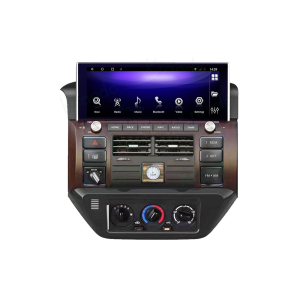
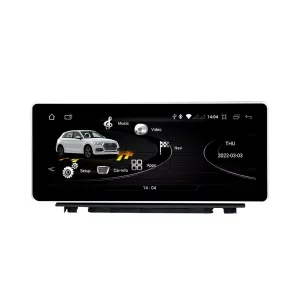
Installed Result First: Audi Q7 Android Head Unit That Still Looks Built Into the Dashboard
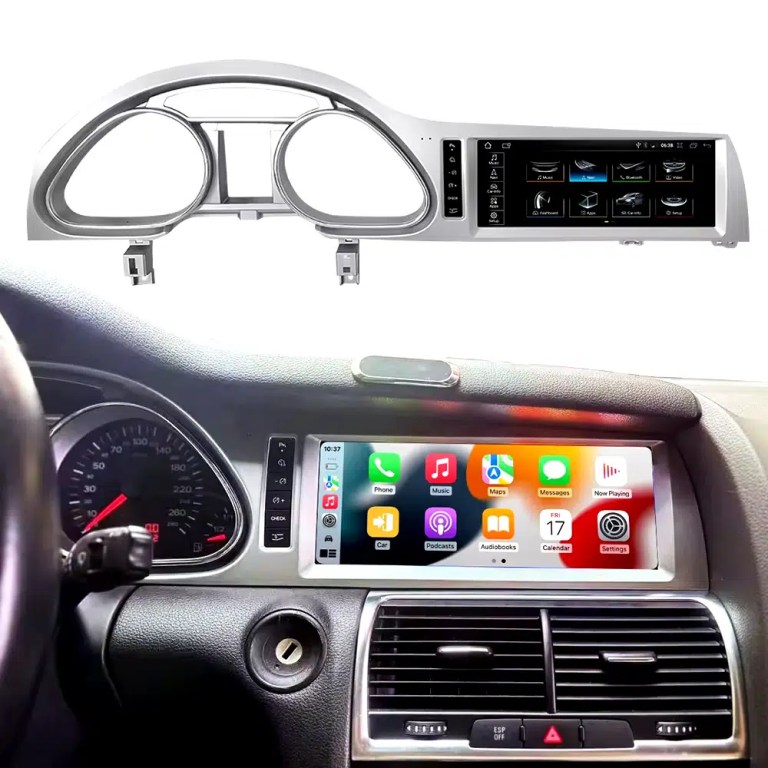
This is the first image buyers should see. It shows the actual Q7 cockpit result: the 10.25-inch Android screen, Audi dashboard trim, original gauge area and CarPlay-style interface working together instead of looking like a loose aftermarket tablet.
Check Dashboard, CD Panel, MMI and MOST Audio Before Ordering
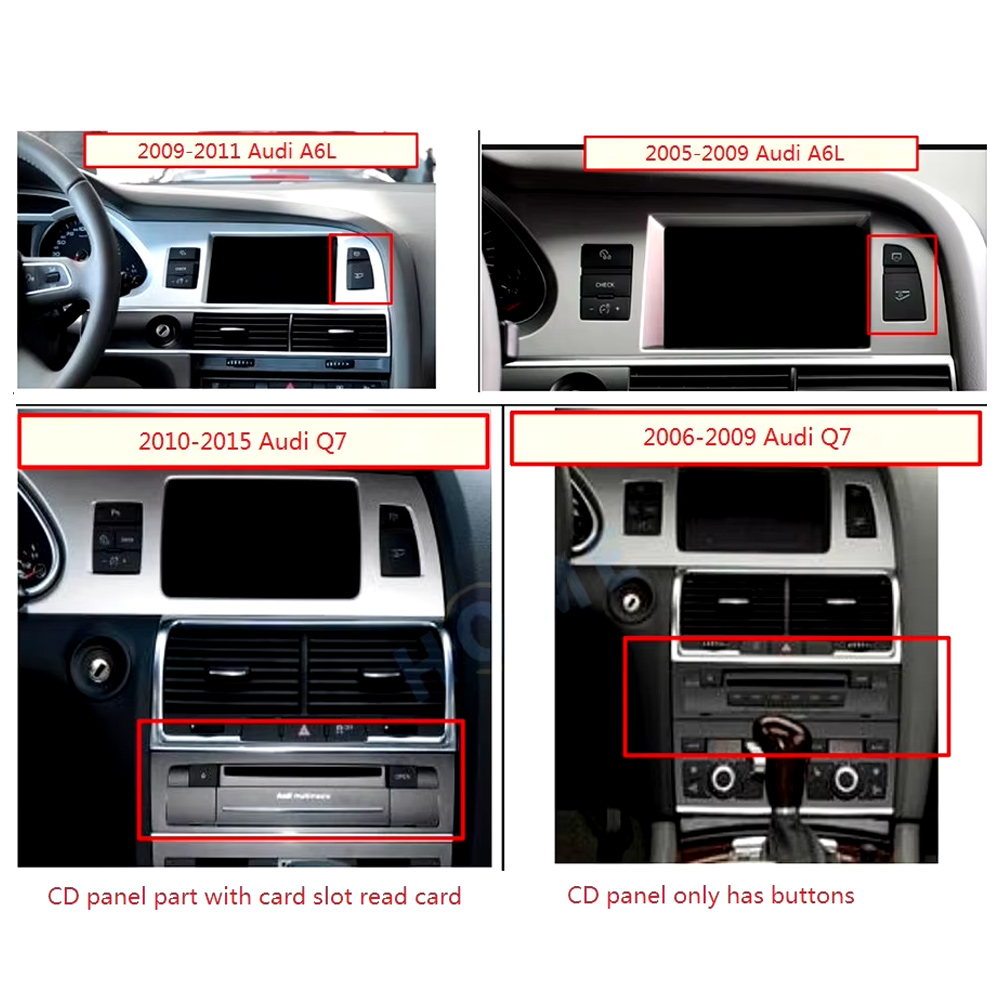
The Audi Q7 Android head unit must be matched to the actual Q7 4L dashboard, not only the model year. Q7 vehicles can use different CD panels, MMI systems, Bose amplifiers, MOST fiber-optic audio routes and LHD/RHD frames.
Four Checks That Prevent the Wrong Order
- Dashboard route: 2005–2009 and 2010–2015 Q7 layouts can differ.
- CD / MMI panel: check card-slot layout, button layout and original control panel.
- Audio system: Bose, external amplifier or MOST fiber optic may require a decoder.
- Steering side: LHD and RHD frames must be confirmed before shipment.
Use This Dashboard Reference Before You Buy
This image belongs near the top because it reduces wrong orders. The original dashboard and CD-panel layout decide the correct screen, frame and integration route.
This iKAGOO Audi Q7 Android head unit upgrades selected Audi Q7 4L vehicles with a vehicle-specific 10.25-inch Android screen, wireless CarPlay, Android Auto, GPS navigation, WiFi / 4G, Bluetooth, DSP audio and supported original Audi system switching.
Choose this upgrade if your original Audi Q7 screen feels outdated but you still want the interior to look factory-style. iKAGOO checks your model year, dashboard frame, MMI system, LHD/RHD position, amplifier, MOST fiber optic requirement and connector photos before shipment.
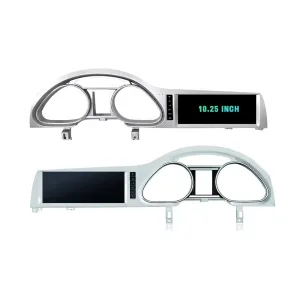
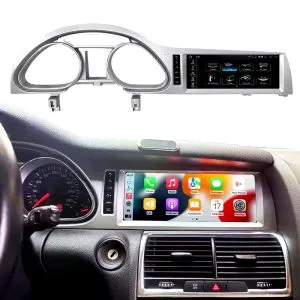
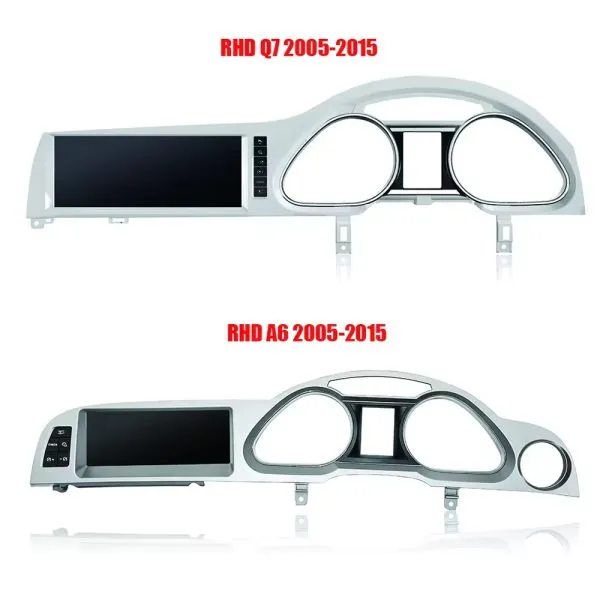
Confirm the 10.25-Inch Q7 Frame Shape
The product frame view helps you compare the left-hand and right-hand display routes before your installer removes the original dashboard parts.
Risposta rapida
This iKAGOO upgrade is a vehicle-specific Audi Q7 Android head unit for selected Audi Q7 4L vehicles in the 2006–2015 range. It upgrades the original screen area with a 10.25-inch Android display route and adds wireless CarPlay, Android Auto, GPS navigation, Bluetooth, WiFi / 4G, DSP audio and app support where the selected hardware version supports these functions. It is not a universal Audi screen. The correct version depends on the dashboard frame, CD / MMI panel, LHD/RHD layout, original amplifier, MOST fiber-optic route, camera system and connector layout. Some 2010–2015 vehicles may need a fiber-optic decoder, especially when Bose or an external amplifier is used.
Why This Audi Q7 Android Head Unit Makes Sense
Modern Screen Without Ruining the Q7 Interior
The 10.25-inch display gives the first-generation Q7 a newer cockpit feel while staying inside the original dashboard structure.
CarPlay e Android Auto senza fili
Use phone maps, calls, music, messages and voice assistant functions through a larger in-dash screen instead of relying only on the old MMI display.
MMI, Audio and Camera Matching
Q7 upgrades fail when audio, MMI or camera routes are guessed. This page puts Bose, MOST, MMI and decoder checks at the front.
Original Audi Functions Supported
Original System Retention
- Supported original Audi menu access can be retained through the matched integration route.
- Original steering-wheel controls can work through the matched CAN decoder where the vehicle configuration supports them.
- Original parking information and original rear camera may be retained when the correct video interface or decoder is prepared.
- Original speaker and amplifier output depends on the verified audio system and adapter requirement.
Android Daily-Use Functions
- Wireless Apple CarPlay and Android Auto support phone maps, calls, music and supported app interfaces.
- WiFi and optional 4G support online maps, app downloads and network-based functions where local service allows it.
- Bluetooth, music, video, maps, messaging and phone-call functions are available on supported configurations.
- DSP and equalizer functions are available where the selected motherboard and hardware version support them.
Confirm Your Audi Q7 4L Version Before We Prepare the Head Unit
Audi Q7 4L vehicles can use different dashboard frames, MMI panels, CD layouts, Bose amplifiers, MOST fiber-optic audio routes, camera systems and LHD/RHD interiors. iKAGOO checks your photos before shipment so the correct Audi Q7 Android head unit, frame, harness and decoder route can be prepared.
Audi Q7 4L 2006–2015
Made for selected Audi Q7 4L vehicles. Some 2005–2009 and 2010–2015 dashboard routes must be checked by photo before shipment.
MMI / CD Panel Must Match
The original CD panel, card-slot layout and MMI control area decide the correct screen frame and system-switching route.
Bose / MOST Fiber Optic Check
This is the key Q7 risk. Bose, external amplifier or MOST fiber optic may require a decoder to keep original speaker output working.
LHD / RHD + Camera Route
Left-hand-drive, right-hand-drive, original rear camera and 360 camera routes must be confirmed before the order is prepared.
Help iKAGOO Prepare the Correct Version Before Shipment
Vehicle Information Needed
- Exact vehicle year and market region.
- Left-hand drive or right-hand drive.
- Original dashboard and screen photo.
- Original CD / MMI control-panel photo.
- Factory amplifier information: Bose, external amplifier or standard audio.
- Photo of original connectors if requested.
- Whether the vehicle has MOST fiber optic, original rear camera or 360 camera.
- Preferred hardware version: 2+32GB, 4+64GB or 8+256GB.
Why These Details Matter
These details help iKAGOO prepare the correct screen frame, Android unit, wiring harness, CAN decoder, audio adapter, fiber-optic decoder and camera route. They also reduce the risk of no sound, no original menu, wrong frame, wrong LHD/RHD layout or unsupported camera input after installation.
Bose, MOST Fiber Optic and Audio Decoder Warning
This is the most important technical risk on many Audi Q7 4L Android upgrades. If the car uses an external amplifier and MOST fiber-optic audio network, the screen may power on but the speakers may have no sound unless the correct decoder route is prepared.
When a Decoder May Be Needed
- The vehicle uses Bose or an external factory amplifier.
- An orange fiber-optic cable is present in the original audio system.
- The original amplifier communicates through the MOST network.
- The Android screen operates but the original speakers have no sound.
- The compatibility review confirms a fiber-optic audio route.
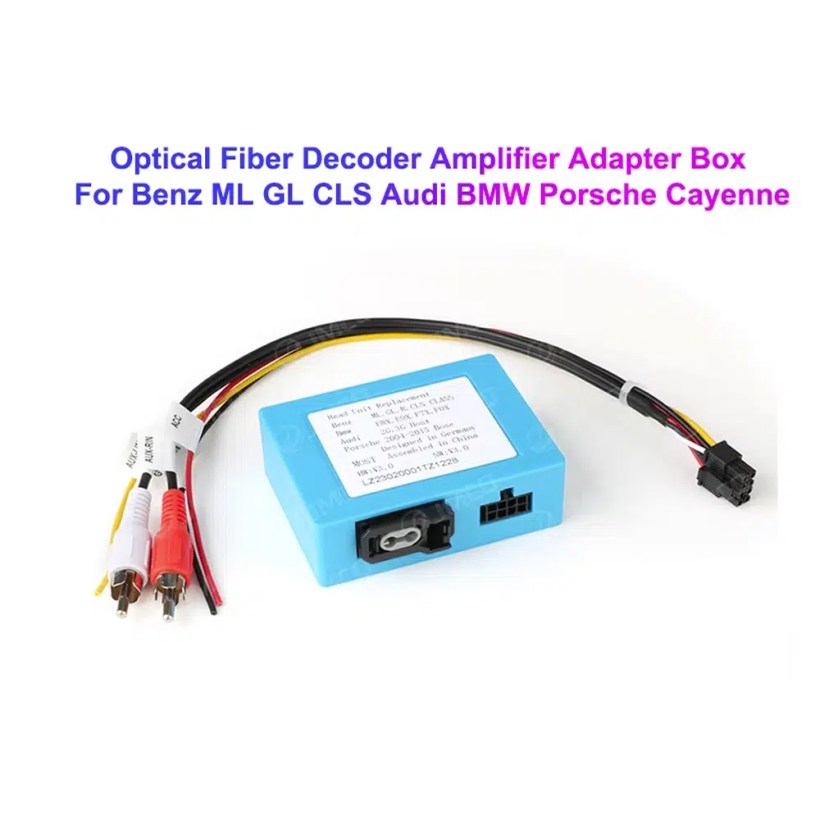
Decoder Example
This image shows the type of fiber-optic decoder commonly used in luxury vehicle audio integration. The required decoder must match the original Audi audio system and connector route.
Key Product Specifications
Hardware Platform and Configuration Difference
G5 / TSK8259 Direction
Usually used for the basic hardware route. Current page information lists Android platform data, 8-core CPU route, Bluetooth 4.x direction and supported CarPlay / Android Auto depending on firmware and selected version.
- 2GB + 32GB route on current variation.
- Wireless CarPlay / Android Auto on supported firmware.
- WiFi and optional compatible 4G where hardware supports it.
- Camera and CAN integration must still match the vehicle.
G6 / TSK8667 Direction
Used for stronger hardware routes such as 4GB + 64GB and 8GB + 256GB options. Suitable for buyers who want smoother Android operation, better storage and stronger daily-use performance.
- 4GB + 64GB or 8GB + 256GB route.
- Bluetooth 5.0 direction where selected hardware supports it.
- DSP support depends on selected hardware.
- Recommended for long-term ownership and heavier app use.
The product title, variation name, checkout option and delivered hardware should use the same memory and motherboard specification. Do not combine specifications from different hardware versions.
Choose the Right Hardware Version
2GB + 32GB
Suitable for basic CarPlay, Android Auto, Bluetooth and navigation use. Choose this only if your expectations are simple and you do not plan heavy app use.
- Basic app use
- Lower cost route
- Best for light daily use
4GB + 64GB
A more balanced route for buyers who want better app switching, navigation and daily media use without jumping to the top version.
- Better memory balance
- Good daily usability
- Recommended over basic version
8 GB + 256 GB
Recommended for buyers who want the strongest current option shown on the page, larger storage and better long-term Android usability.
- Highest listed storage route
- Better for multitasking
- Best long-term choice
- Confirm motherboard before shipment
iKAGOO Compatibility and Installation Process
Recensione dell'auto
Submit the year, dashboard photos, steering position and original audio-system details.
Corrispondenza delle configurazioni
iKAGOO checks the frame, harness, CAN decoder, amplifier and fiber-optic requirements.
Pre-Shipment Setup
The Android unit and matching accessories are prepared for the confirmed vehicle configuration.
Assistenza all'installazione
Guidance is available for wiring, configuration and supported-function testing.
Why Owners Choose iKAGOO
Preparazione specifica per il veicolo
iKAGOO checks your Audi Q7 year, dashboard photos, MMI system, steering side and audio system before shipment so the correct version can be prepared.
MMI and Audio Matching
The correct CAN decoder, amplifier route and fiber-optic requirement matter more than buying a screen by size alone.
Original Function Integration
The upgrade is prepared to retain supported original menus, steering-wheel controls, original camera and vehicle information where the matched route allows it.
Protezione dei cablaggi di fabbrica
The matched harness route is designed to avoid unnecessary cutting of the original wiring when the vehicle and harness match.
Installation and Setup Support
If your installer needs help identifying the MMI type, fiber-optic route or function test result, iKAGOO can provide order-based support.
12-Month Garanzia hardware
Eligible hardware issues are handled under the iKAGOO 12-month limited warranty, with after-sales support for diagnosis and suitable solutions.
iKAGOO Purchase Assessment for This Audi Q7 Android Head Unit
Necessità di aggiornamento di iKAGOO
89/100Strong Upgrade Case. The first-generation Audi Q7 interior benefits clearly from a modern 10.25-inch Android screen, wireless smartphone integration, navigation and improved media usability.
- Visible dashboard modernization
- CarPlay e Android Auto senza fili
- Navigation, apps and DSP value
Compatibilità con il veicolo originale
84/100Good compatibility route when the correct dashboard frame, MMI route, CAN decoder, amplifier adapter and fiber-optic requirement are verified before shipment.
A score of 84/100 does not mean that 16% of factory functions are lost. It means this product requires stricter checking because Audi Q7 4L audio and MMI configurations vary.
Based on the Factory Function Retention StandardDifficoltà di installazione
Livello 3Advanced DIY. Suitable for experienced DIY installers or an automotive electronics technician. Audi Q7 MMI, MOST fiber optic, amplifier and camera routes must be checked carefully before final reassembly.
Based on the Car Electronics Installation Difficulty GuideKeep the Old MMI, Add a Box or Upgrade with iKAGOO?
Factory MMI Only
Best only if you are satisfied with the old screen size, old interface and limited smartphone integration.
- No upgrade cost
- Old interface remains
- Limited app experience
CarPlay-Only Module
Useful if you only need phone projection, but it does not give the Q7 a new Android display or modern interface layout.
- Limited visual change
- No full Android system
- Depends on original screen condition
Universal Android Screen
May be cheaper, but Audi Q7 dashboard frame, MMI, Bose, MOST fiber and camera integration can become the real risk.
- Fitment uncertainty
- May look aftermarket
- Higher audio risk
iKAGOO Audi Q7 Android Head Unit
Best for owners who want a vehicle-specific 10.25-inch screen, CarPlay, Android Auto, navigation, DSP and configuration review before shipment.
- 10.25-inch Q7-specific frame
- Wireless CP & AA
- MMI system switching
- Fiber-optic decoder check
- Vehicle-specific preparation
Purchase Conclusion
If you want your Audi Q7 4L to feel modern without making the dashboard look cheap or creating MMI/audio problems, this iKAGOO Android head unit is the stronger route than a generic screen or a small add-on box.
Product Photos and What They Help You Decide
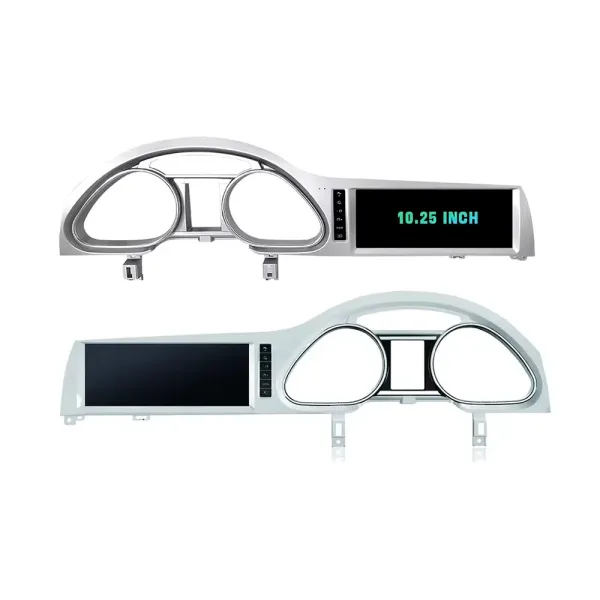
Confirm LHD and RHD Product Frame Routes
This image helps you understand that Q7 frame orientation matters. Do not order without confirming steering side and dashboard layout.
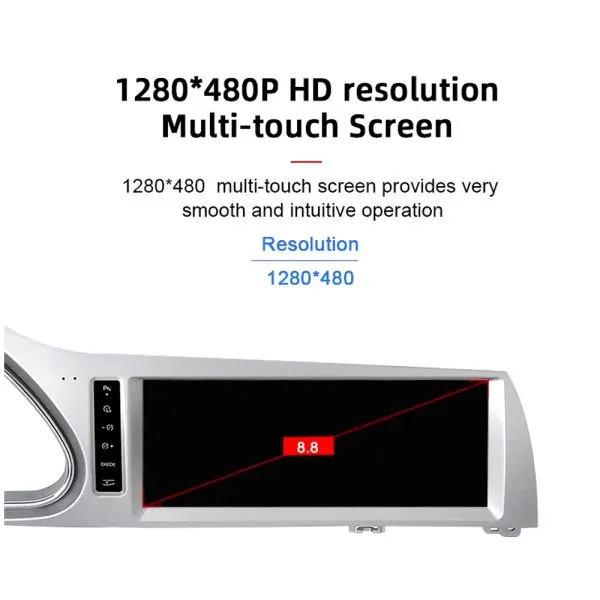
Understand the Screen Display Area
The screen reference explains the display route and reminds buyers that the confirmed order specification takes priority over general promotional images.
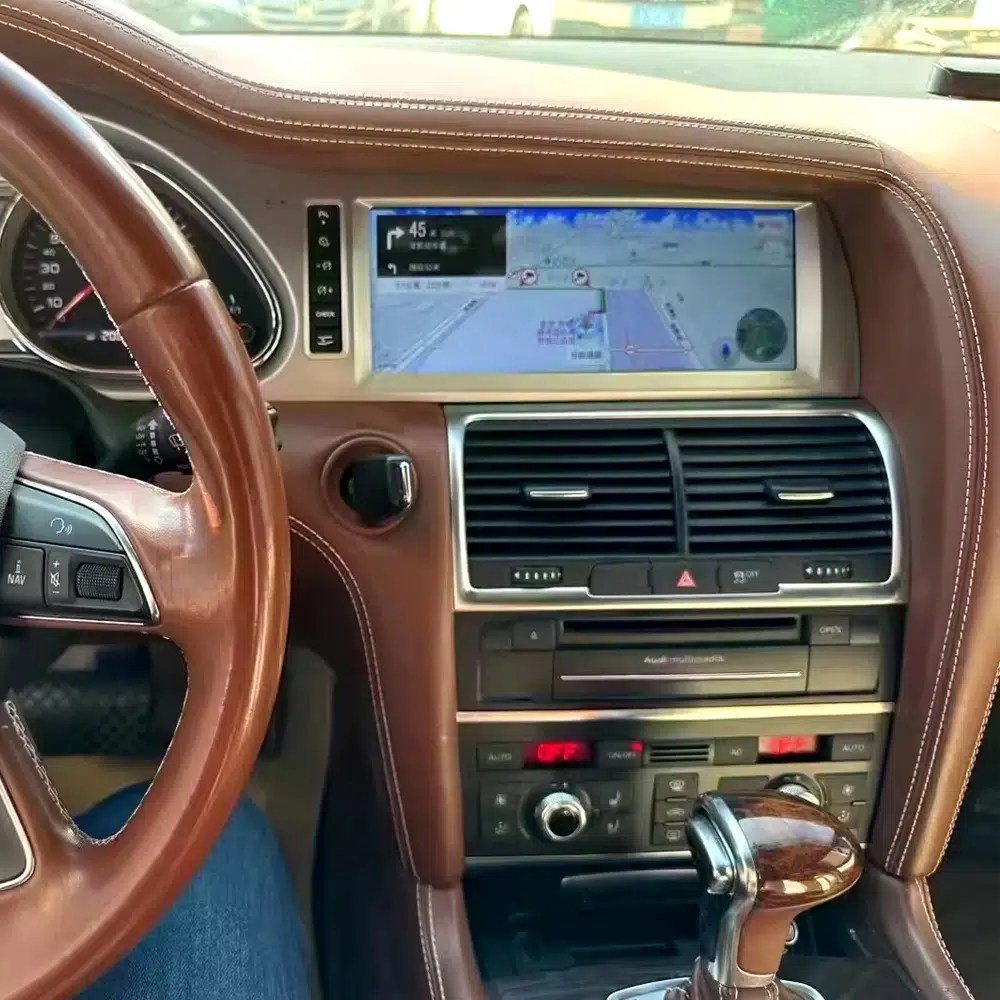
See Navigation Working in a Real Audi Q7 Interior
This installed navigation view helps you judge the screen position, driver visibility and how the display looks inside a used Q7 cabin.
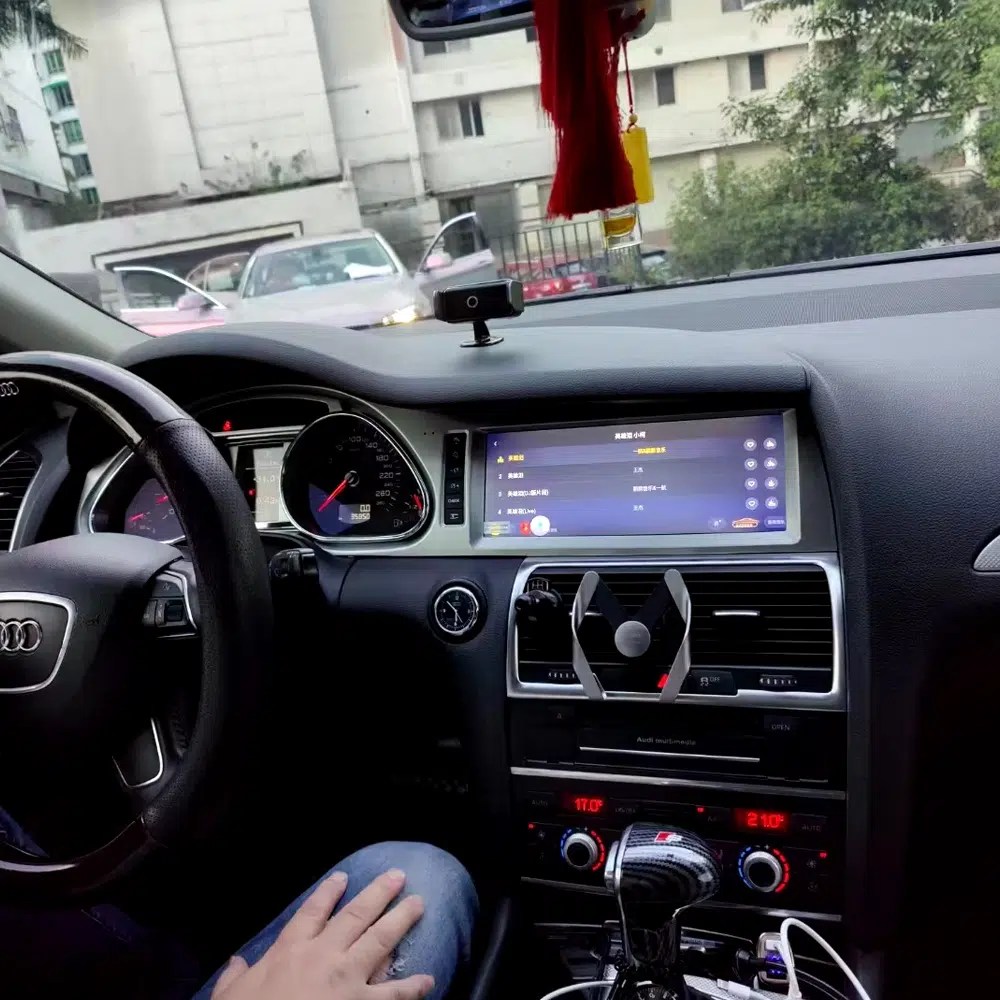
Review Another Real Installation Interface
This cabin photo gives another practical reference for screen angle, dashboard integration and menu readability after installation.
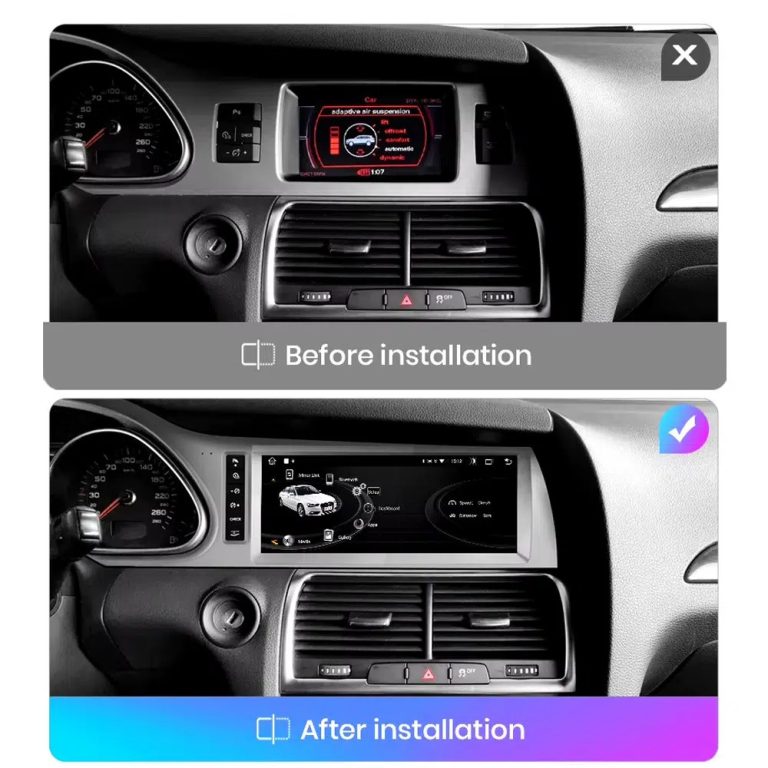
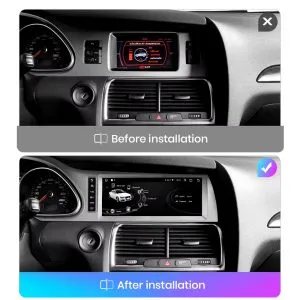
Compare the Old Screen Before and After the Upgrade
The before-and-after image shows the main visual upgrade: the old small screen area becomes a wider Android interface with a cleaner modern layout.
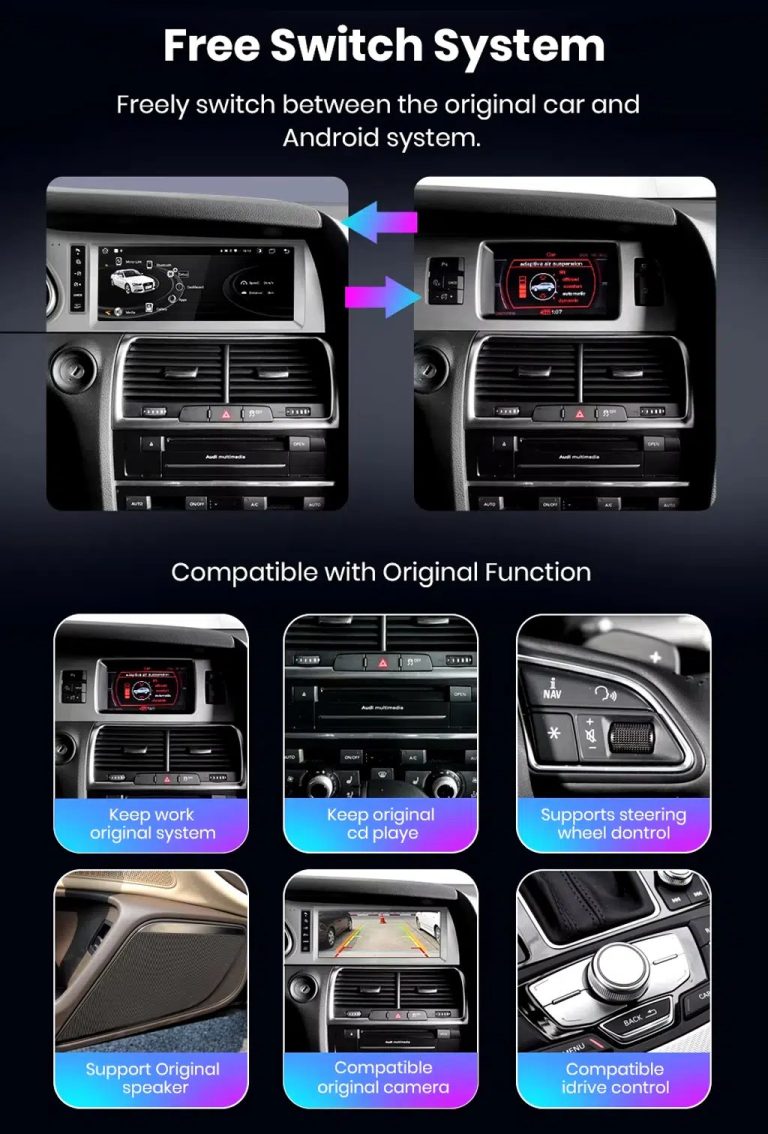
Switch Between Android and Original Audi System
Original-system switching is important for Q7 owners because it helps retain access to supported Audi menus while adding modern Android functions.
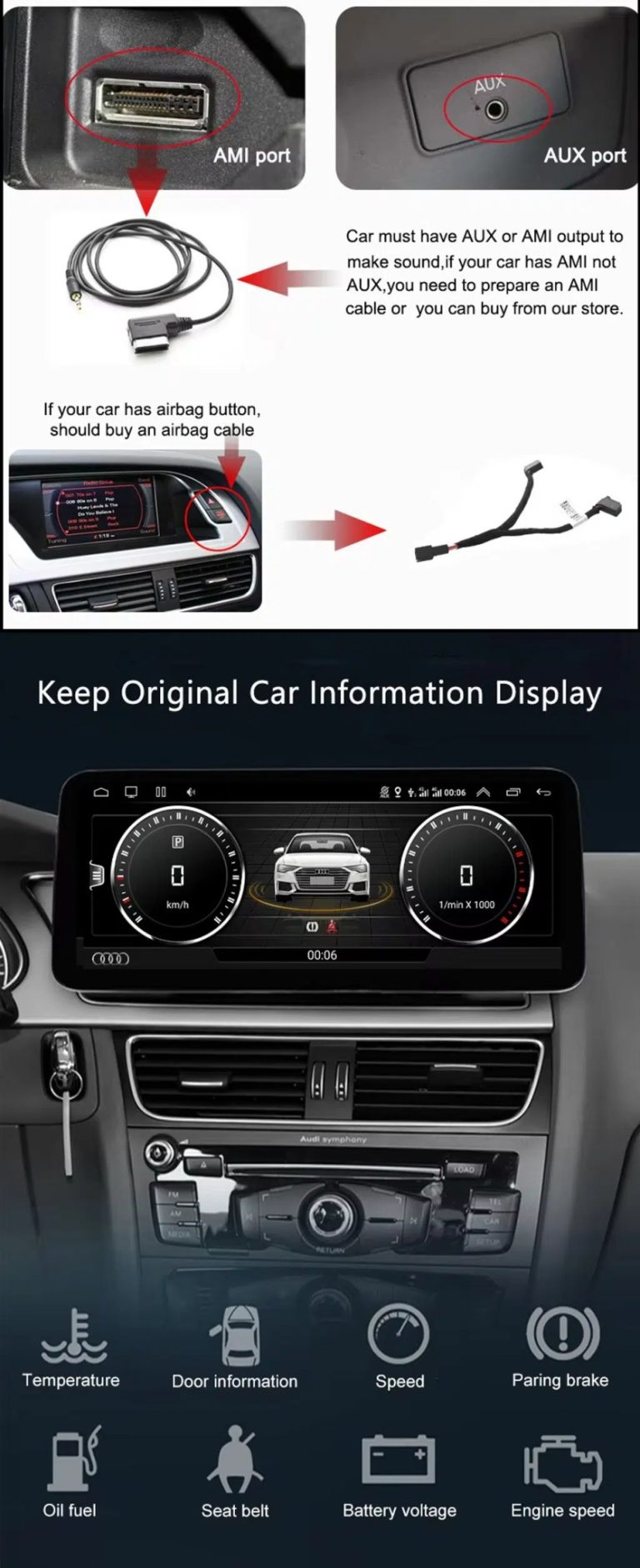
Check AUX, AMI and Original Vehicle Information
Some Audi Q7 configurations need the correct AUX, AMI or adapter route for sound and original data display. This should be checked before installation.
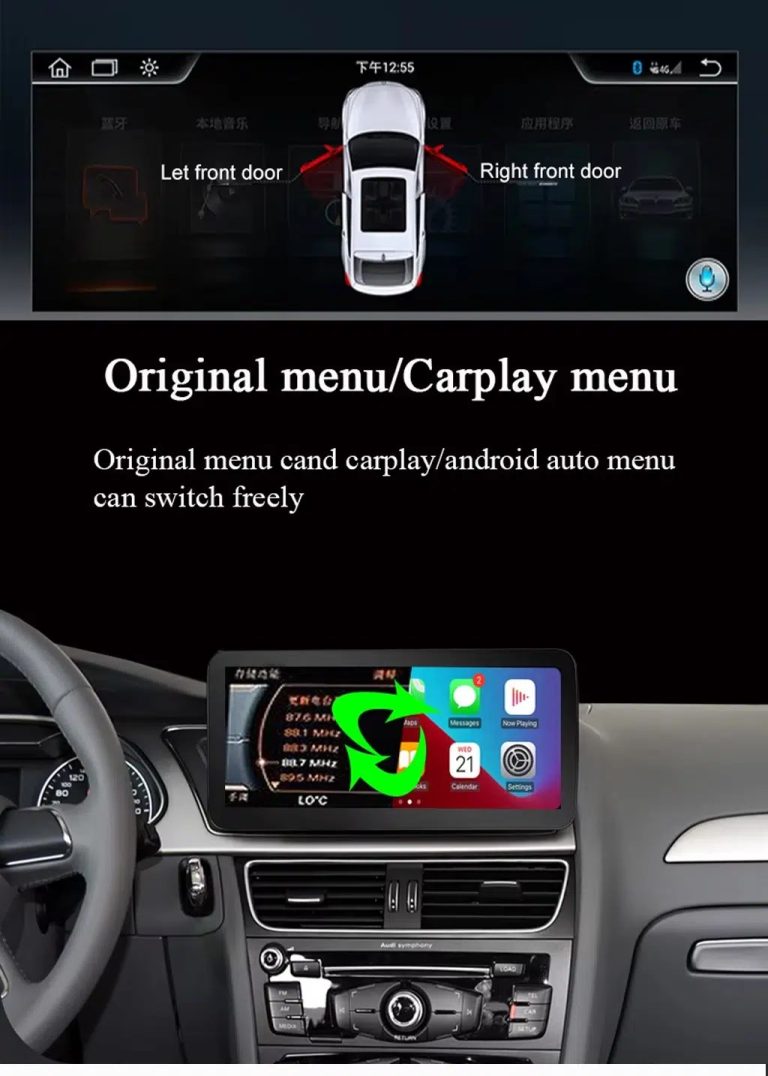
Use Original Menu and CarPlay Menu Switching
This visual explains how the owner can move between the supported original Audi interface and modern CarPlay / Android Auto style display.
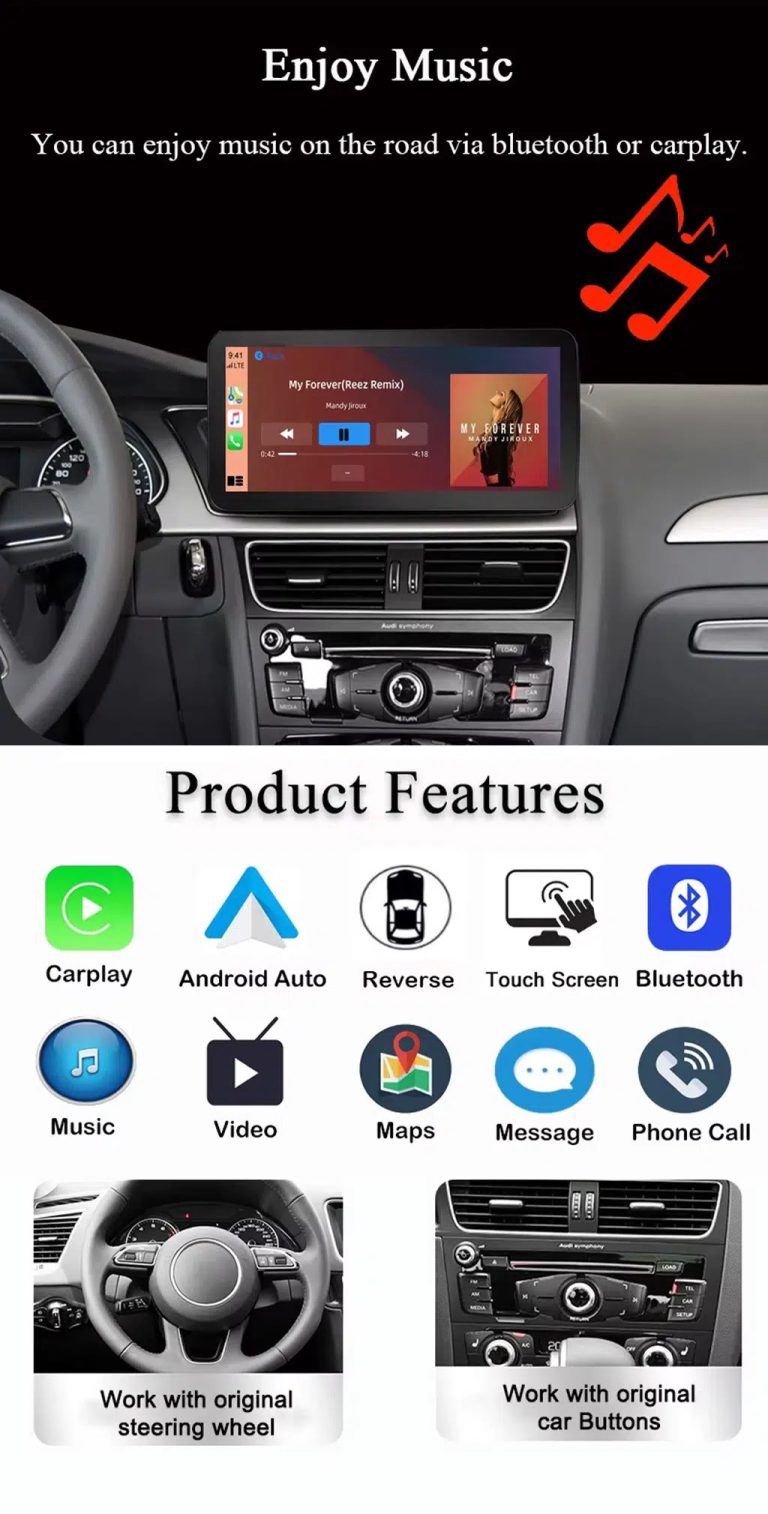
Use Music, Bluetooth, Maps and Steering-Wheel Controls
The function overview shows why the upgrade is useful every day: calls, music, maps, Bluetooth, touch operation and supported steering-wheel controls.
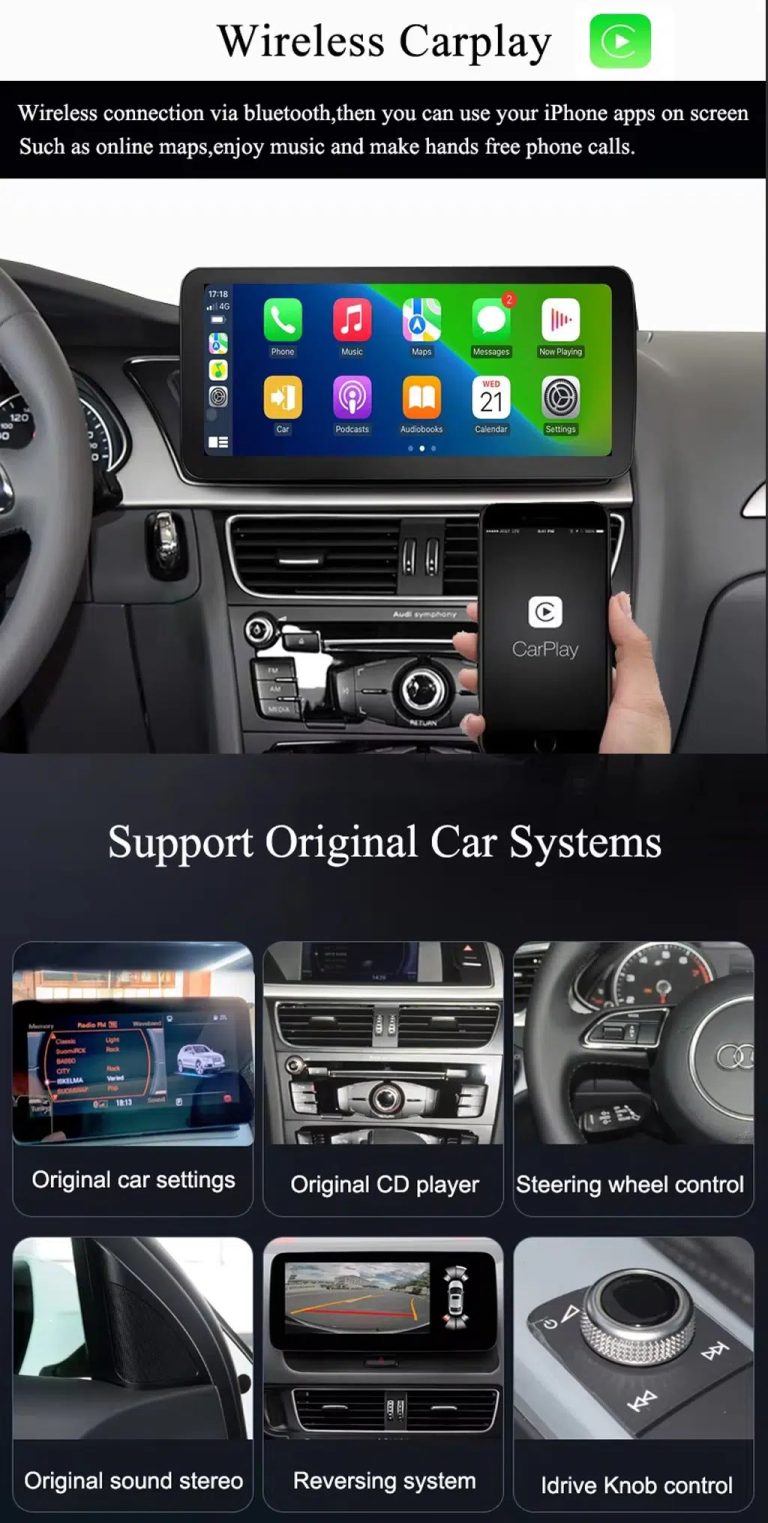
Show Wireless CarPlay and Original System Value Together
This image is useful because it combines wireless CarPlay with original car system retention, helping buyers understand that this upgrade is more than a simple screen swap.
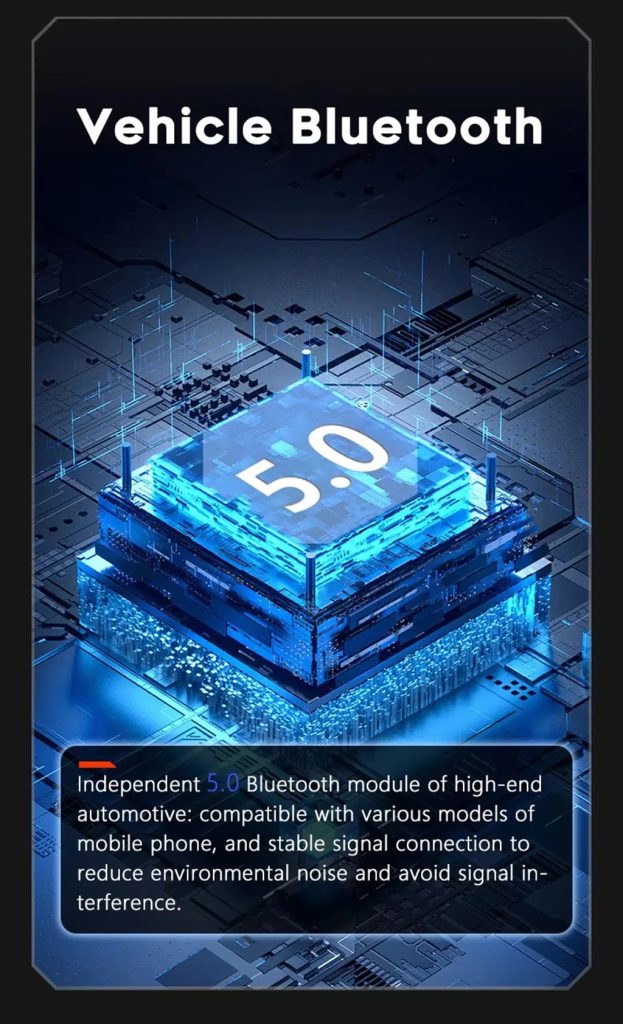
Improve Bluetooth Stability Where Supported
Bluetooth version depends on selected hardware, but the upgrade direction supports clearer phone and media connection than relying only on older factory behavior.
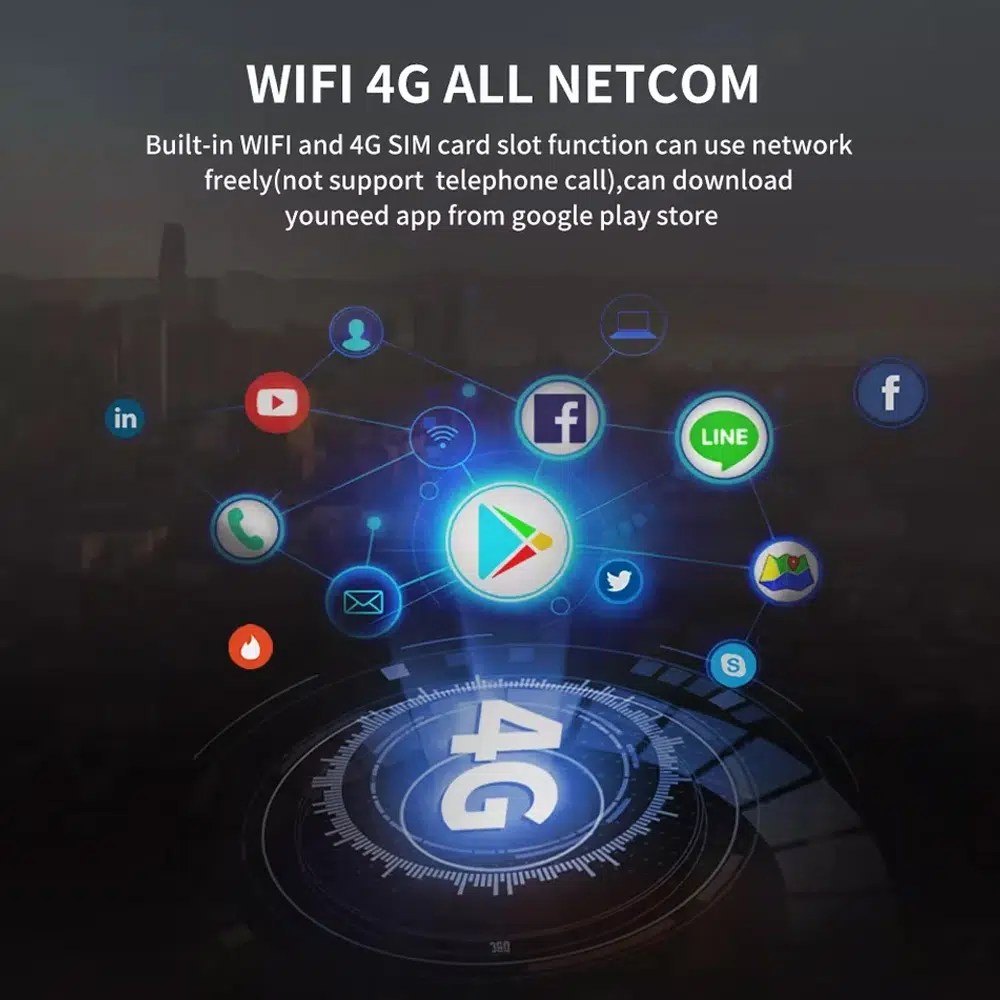
Use WiFi and 4G for Apps and Online Navigation
WiFi and compatible 4G support online maps, app downloads and connected Android functions where local network and selected hardware allow it.
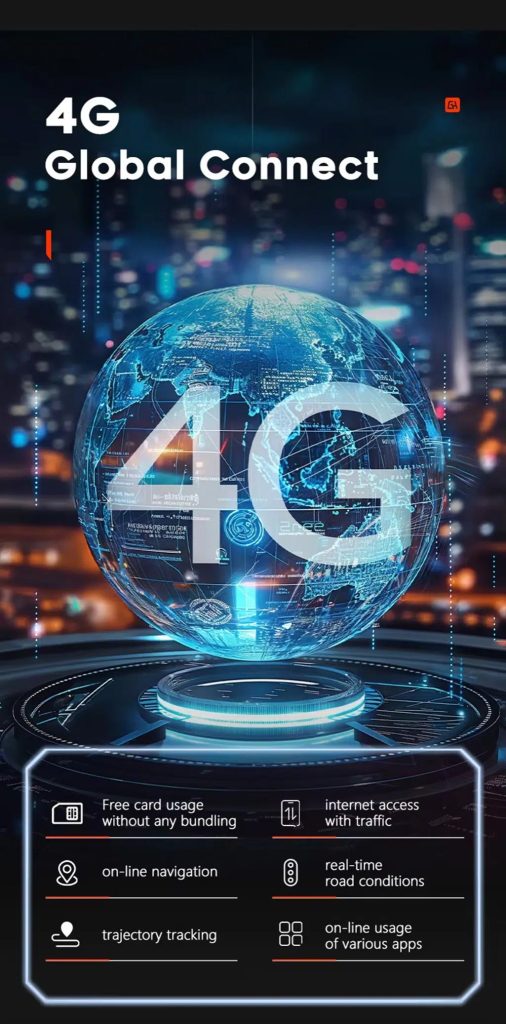
Use 4G Global Connect Where Available
This image supports the network-use value of the Android head unit: online navigation, traffic information and app access depend on active network service.
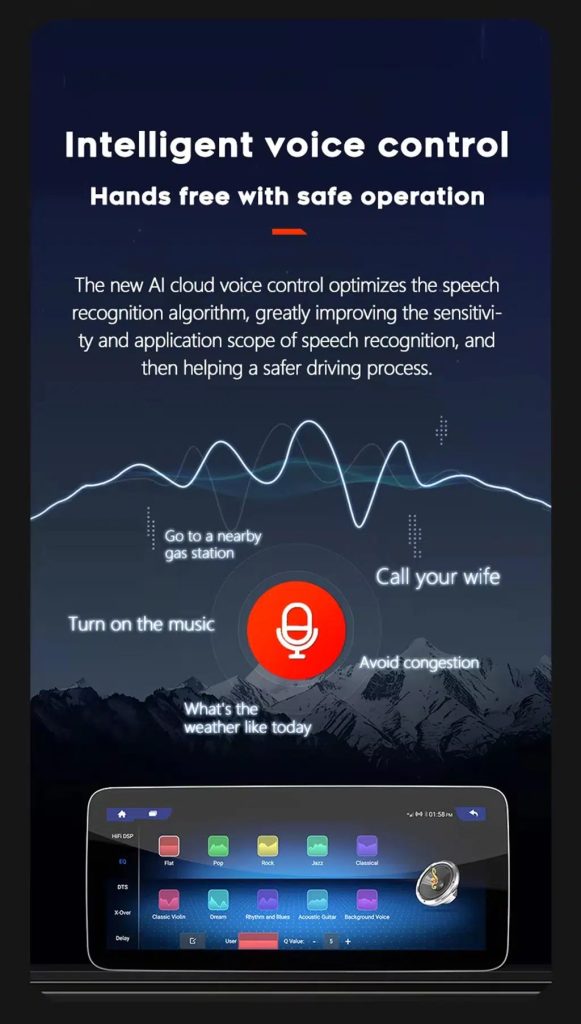
Use Voice Control With Compatible Apps
Voice control can make navigation, music and calls easier, but actual recognition depends on app, microphone, language, internet connection and phone compatibility.
Improve Audio With DSP Where Supported
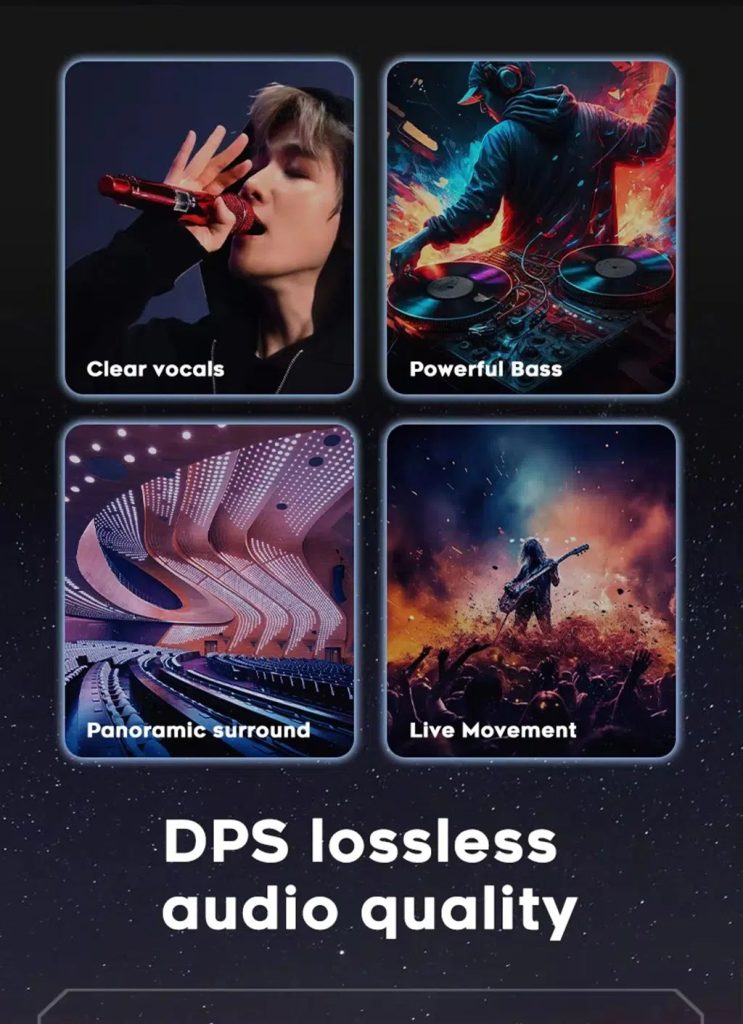
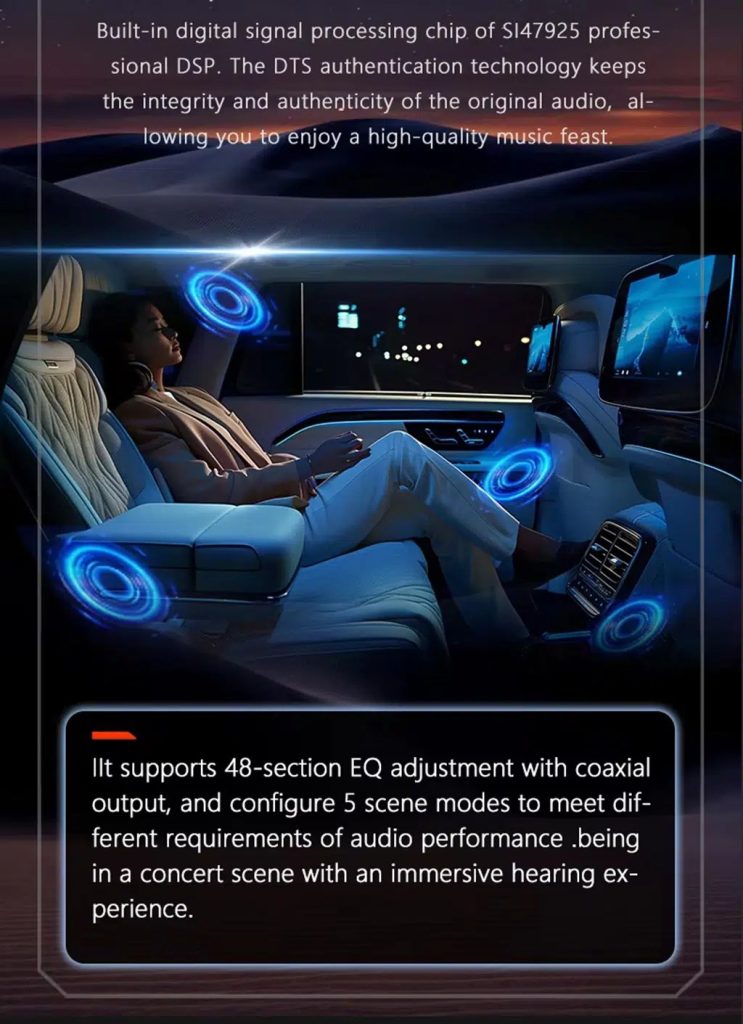
DSP helps tune vocals, bass, surround feeling and live-movement sound effects when the selected hardware version includes the supported DSP route.
Review Multimedia and DSP Function Reference
This additional media image supports the buyer’s understanding of the audio and entertainment function direction before choosing the hardware version.
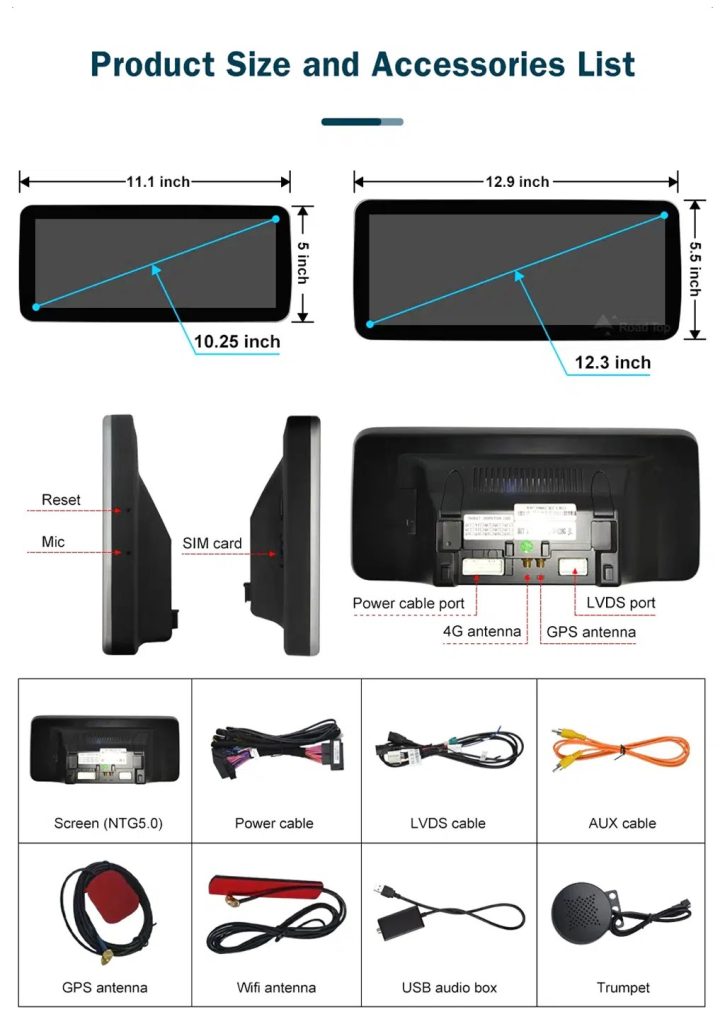
Check Product Size, Rear Ports and Accessories
This accessory image helps the installer understand screen size, rear connection area, LVDS, power cable, AUX cable, GPS antenna, WiFi antenna, USB audio box and other included parts.
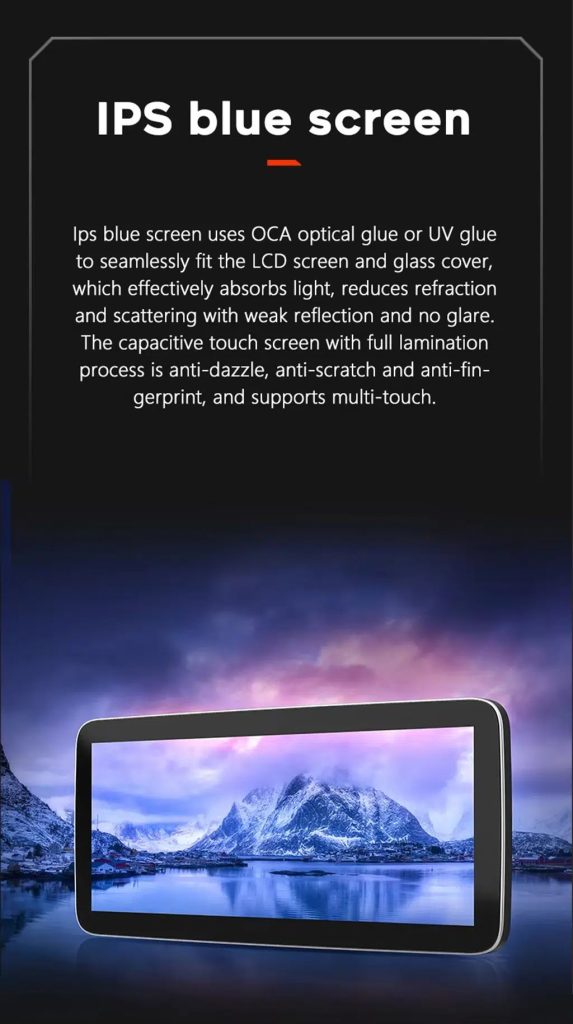
Understand the IPS Blue Screen Advantage
The IPS blue screen and capacitive touch direction helps the display feel clearer, smoother and more comfortable for daily dashboard use.
Review the Product Gallery Before-and-After Reference
This gallery image gives another quick reference for the original Q7 display before installation and the wider Android interface after installation.
Confirm Another Installed Dashboard Angle
This gallery view shows the unit installed in the Q7 dashboard with a modern interface, helping buyers compare the final visual balance.
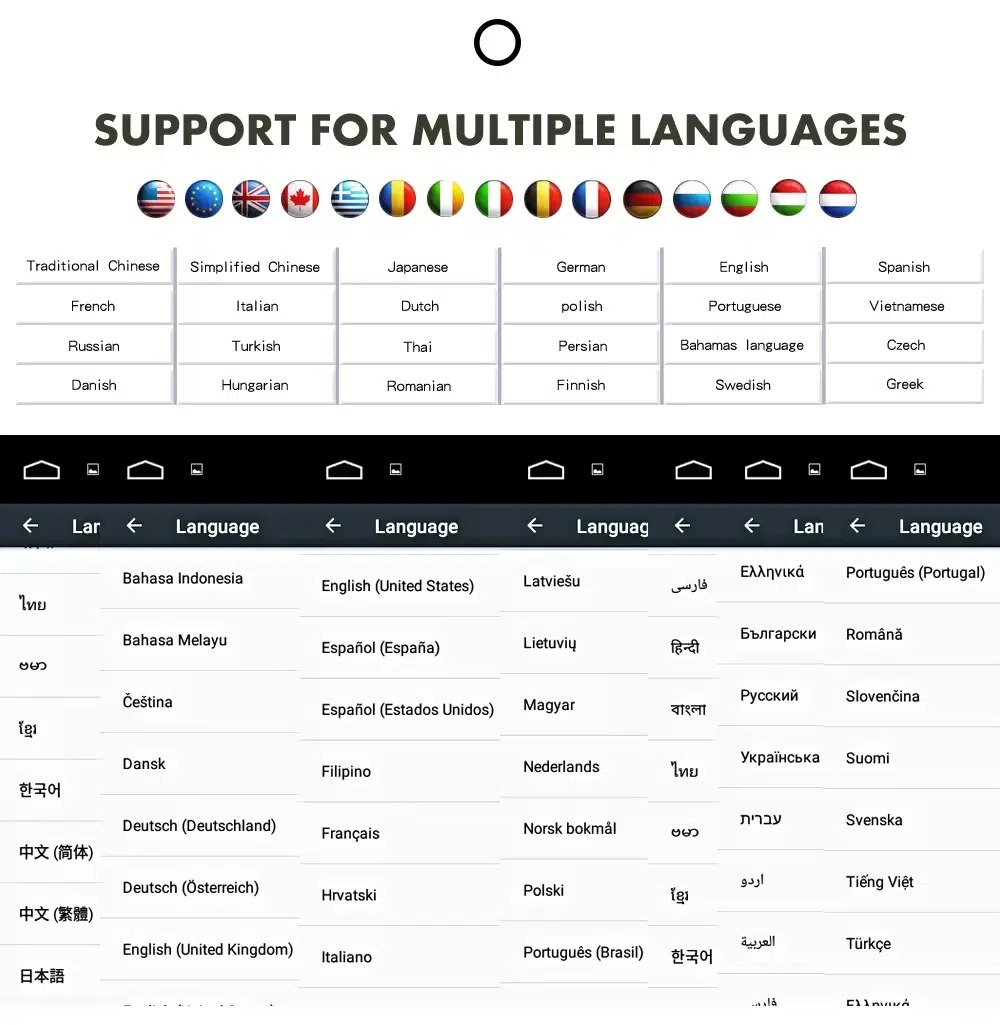
Confirm Multilingual Interface Support
Multiple language support helps international owners and installers use the Android interface in a familiar language. Final availability depends on firmware and app settings.
Installation Route for the Audi Q7 Android Head Unit
Main Work Required
- Confirm dashboard year route, CD panel, MMI system and steering side before shipment.
- Check whether the car has Bose, external amplifier or MOST fiber optic.
- Remove the original screen area and required dashboard trim carefully.
- Connect the matched power harness, CAN decoder, LVDS/video route and audio adapter.
- Install fiber-optic decoder when confirmed necessary.
- Connect GPS, USB, camera, microphone and 4G/WiFi accessories according to selected configuration.
- Power on before final reassembly.
- Test original menu switching, CarPlay, Android Auto, audio, steering-wheel controls, cameras, Bluetooth, GPS and sleep/wake behavior.
Recommended Installer
This is Level 3 — Advanced DIY. It is suitable for experienced DIY installers or an automotive electronics technician familiar with Audi MMI, dashboard trim, CANBUS, factory amplifiers and MOST fiber-optic systems.
Do not treat “plug-and-play” as “no configuration.” A plug-and-play harness only works correctly when the vehicle system and required adapters are matched first.
What Is Normally Included
Android Display
Vehicle-specific display assembly with the selected Android hardware configuration.
Wiring Harness
Power, signal and integration wiring selected according to the confirmed vehicle.
CAN Decoder
Compatible decoder for supported steering controls and vehicle-information integration.
GPS Antenna
External GPS antenna for supported Android navigation functions.
USB Connections
USB extension inputs for compatible media, accessories and software updates.
Optional Adapters
Fiber-optic decoder, camera interface, AMI cable or other adapters when confirmed as necessary.
Package contents vary by selected version and confirmed vehicle configuration. The final order details should be checked before dispatch.
Stop Installation and Contact iKAGOO If This Happens
- The screen frame does not match the dashboard opening.
- The connector shape or pin layout clearly does not match the supplied harness.
- The car has Bose / MOST fiber optic but no confirmed decoder route.
- No sound comes from the speakers after power-on testing.
- The original MMI menu cannot be accessed after connection.
- A fiber-optic cable is bent sharply, crushed or left disconnected.
- A connector pin is bent, loose or damaged.
- A fuse blows repeatedly.
- You smell abnormal heat, burning or smoke.
- The installation would require cutting the main factory wiring harness.
Shipping, Warranty and After-Sales Support
Preparazione dell'ordine
Normal order preparation is usually 1–3 business days after your vehicle configuration has been checked.
Spedizione internazionale con tracciamento
International delivery is tracked. Estimated delivery time depends on destination, customs clearance and the shipping method selected at checkout.
12-Month Garanzia hardware
Eligible hardware issues are handled under the iKAGOO limited warranty. Damage from incorrect wiring, misuse, water ingress or unauthorized modification is not normally covered.
Vehicle-specific products require correct information before shipment. If iKAGOO confirmed compatibility before purchase, your information was accurate, and no reasonable installation solution is available after supported troubleshooting, the current published return and refund policy applies.
Audi Q7 Android Head Unit FAQ
Is this Audi Q7 Android head unit for every Q7 from 2006 to 2015?
No, not automatically. Compatibility depends on dashboard structure, CD/MMI panel, steering side, amplifier, MOST fiber optic, camera system and connector layout. Vehicle photos must be checked before shipment.
Does this product support 2005 Audi Q7?
Yes, some product routes show 2005–2009 compatibility, but the main product title uses 2006–2015. Send dashboard and CD panel photos before ordering if your vehicle is 2005 or market-year unclear.
Supporta CarPlay e Android Auto senza fili?
Yes, supported configurations provide wireless Apple CarPlay and Android Auto for compatible smartphones. Connection behavior depends on the phone, firmware and selected hardware version.
Will the original Audi MMI menu still work?
Yes, supported original Audi menu access can be retained through the matched system-switching route, but the original MMI system and connector route must be confirmed first.
Will Bose or the factory amplifier still work?
Yes, it can work when the correct audio route is prepared. Some Bose, external amplifier or MOST fiber-optic systems may require a compatible decoder.
Does every Audi Q7 need a fiber optic box?
No, not every vehicle needs one. The requirement depends on the original amplifier and MOST fiber-optic audio configuration, not only the model year.
Can the original rear camera be retained?
Yes, retention may be possible with the correct video interface or decoder. The original camera format must be checked before ordering.
Does it work with LHD and RHD vehicles?
Yes, compatible routes may be available for both steering positions, but the frame and button orientation must be confirmed from dashboard photographs.
L'installazione è plug-and-play?
Yes, the matched harness is designed for clean connection, but installation is still Level 3 — Advanced DIY because Audi MMI, amplifier, MOST fiber optic, camera and CANBUS functions must be checked and tested carefully.
What should I send before ordering?
Yes, send your vehicle year, LHD/RHD position, original dashboard photo, original screen photo, CD/MMI panel photo, amplifier details, connector photos if requested, and whether you need Bose/MOST, rear camera or 360 camera support.
Make Your Audi Q7 4L Feel Modern Again
Choose the Audi Q7 Android head unit if you want a 10.25-inch factory-style screen, wireless CarPlay, Android Auto, navigation, DSP audio and a configuration review for your Q7 dashboard, MMI and audio system.


Recensioni
Non ci sono ancora recensioni.