VW Tiguan Digital Cluster for a Cleaner 12.3-Inch LCD Dash
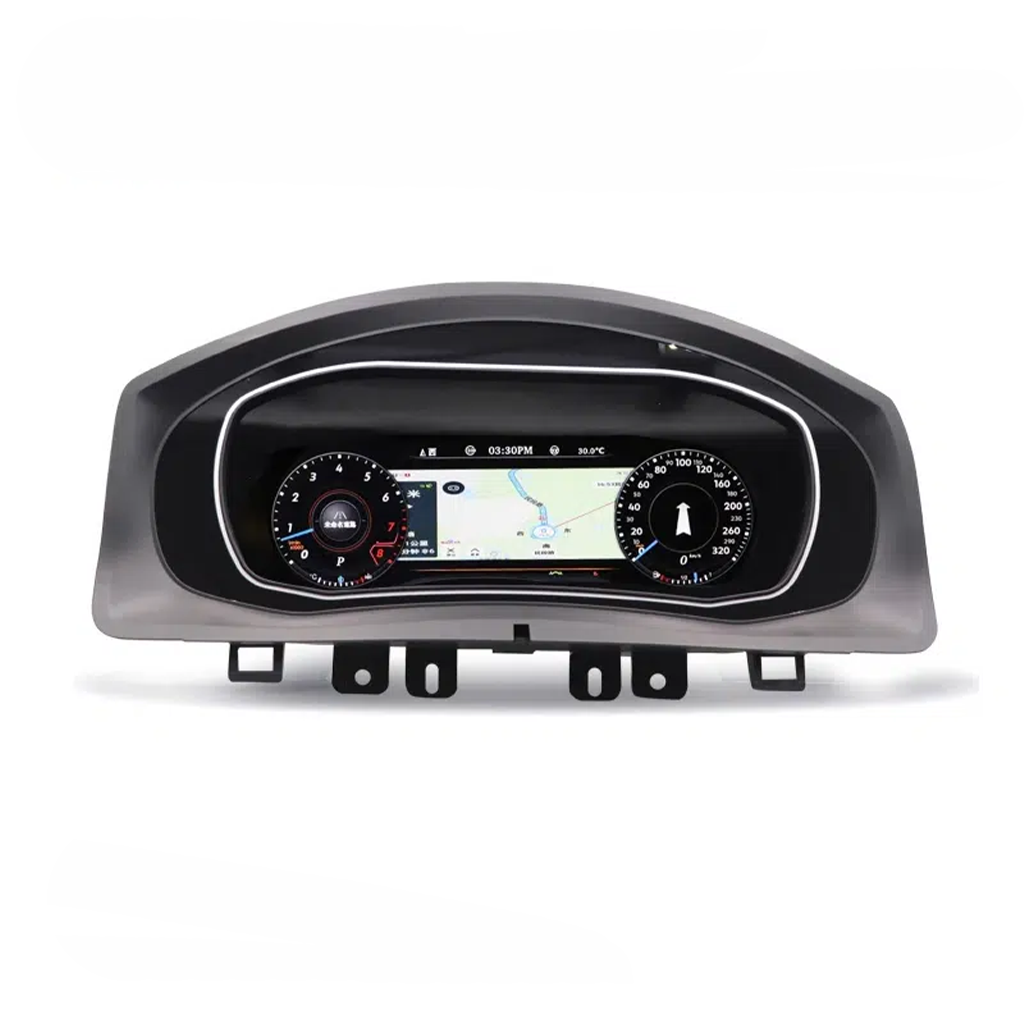
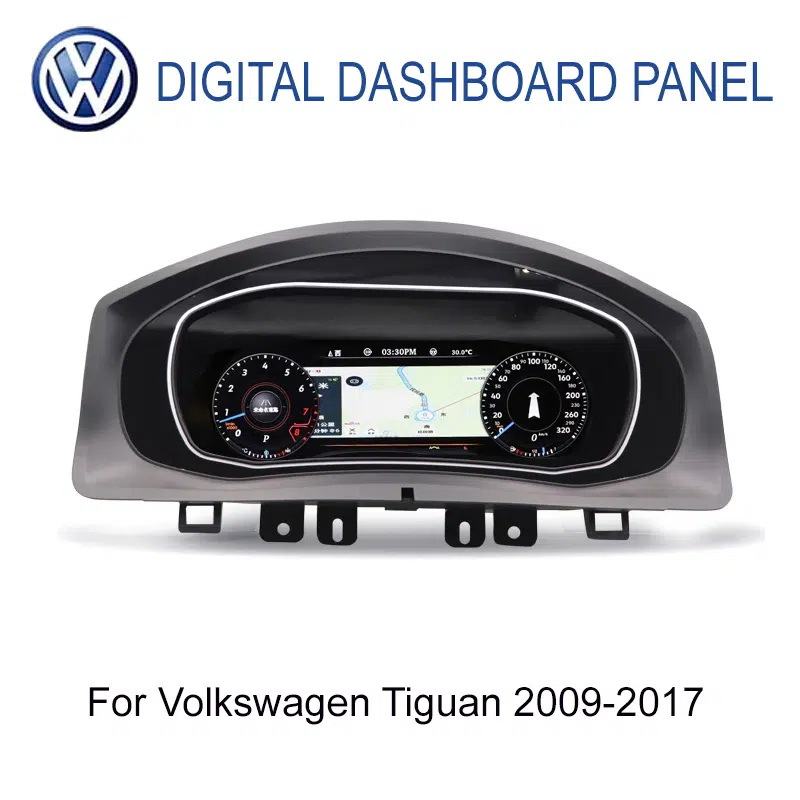
This VW Tiguan Digital Cluster upgrades selected 2009-2017 Volkswagen Tiguan Mk1 / Type 5N vehicles from an older analog-style gauge area to a cleaner 12.3-inch LCD driver display.
It is prepared for the first-generation Tiguan dashboard route, not for Tiguan L, MQB Tiguan, Tiguan Allspace or newer second-generation dashboard structures. iKAGOO checks your year, original cluster, dashboard photo, steering position and connector route before shipment.
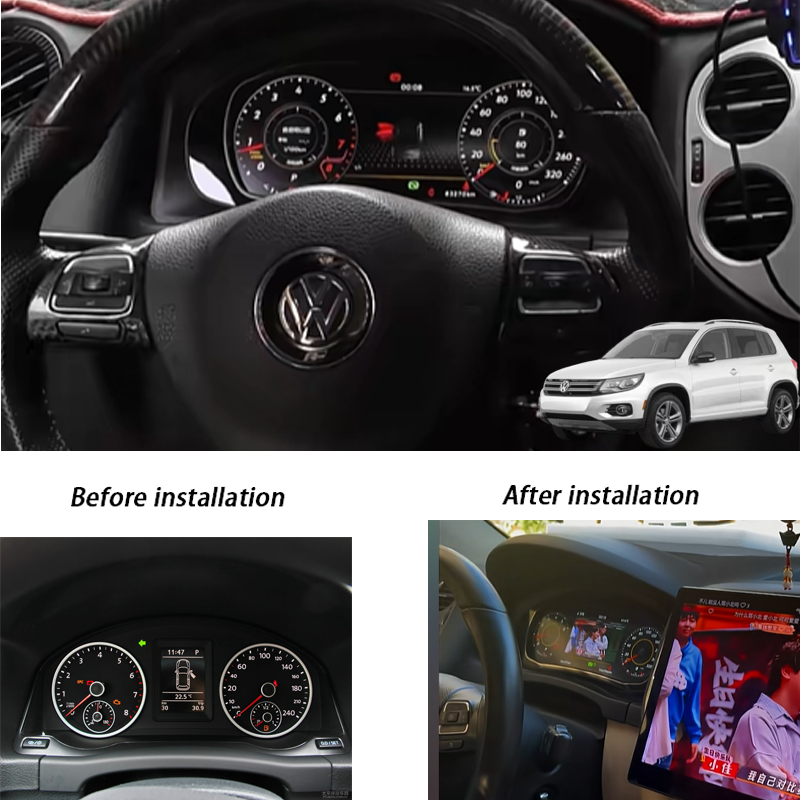
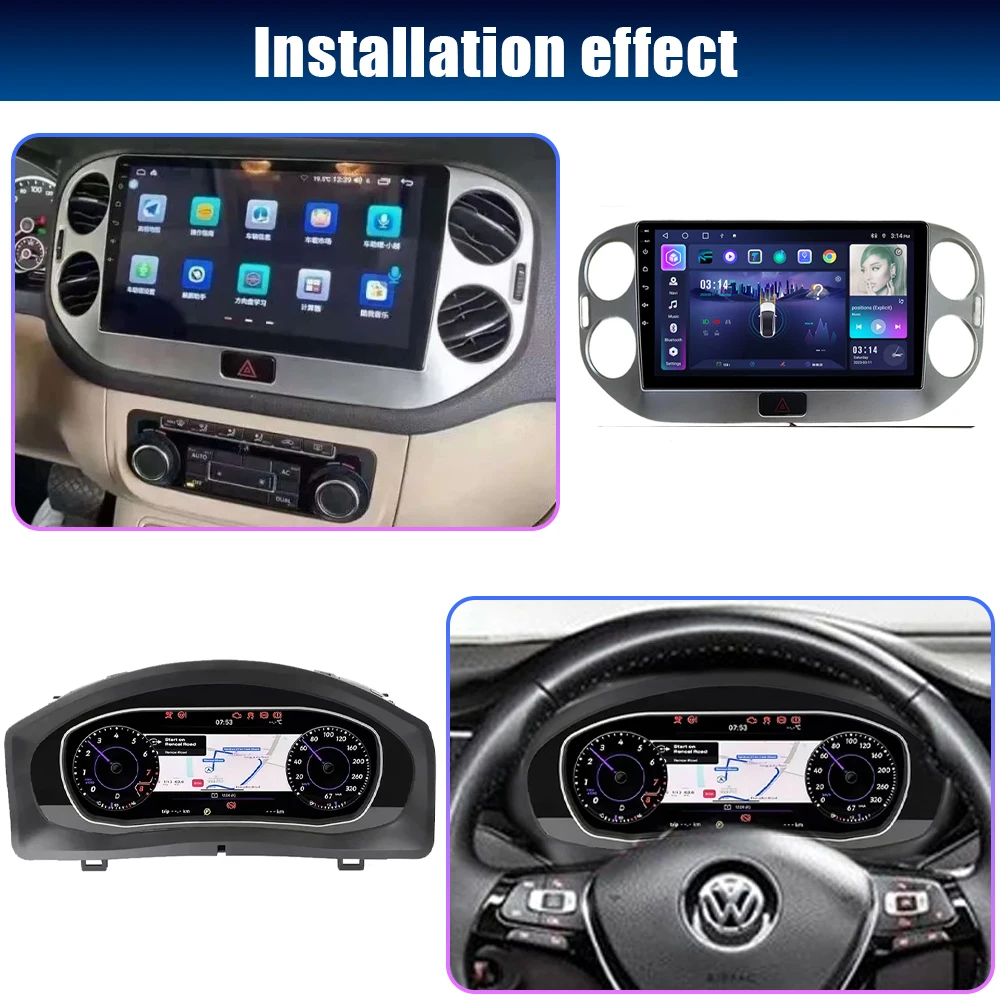
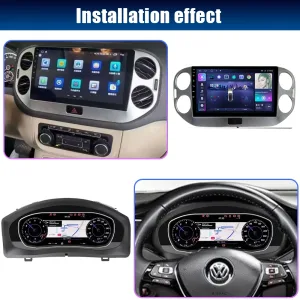
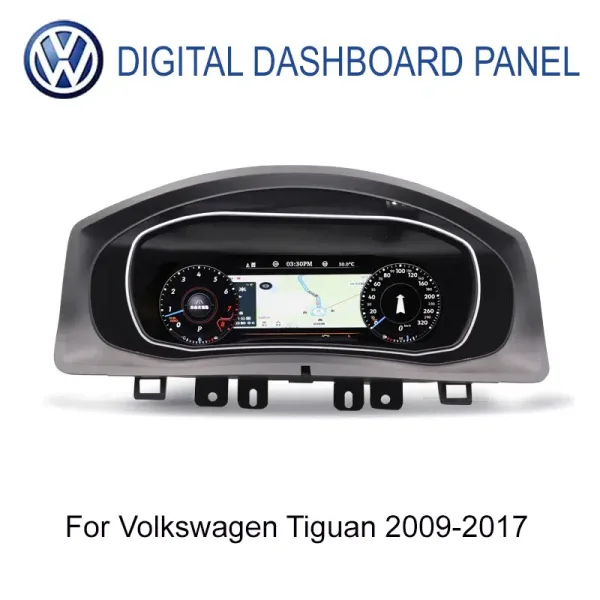
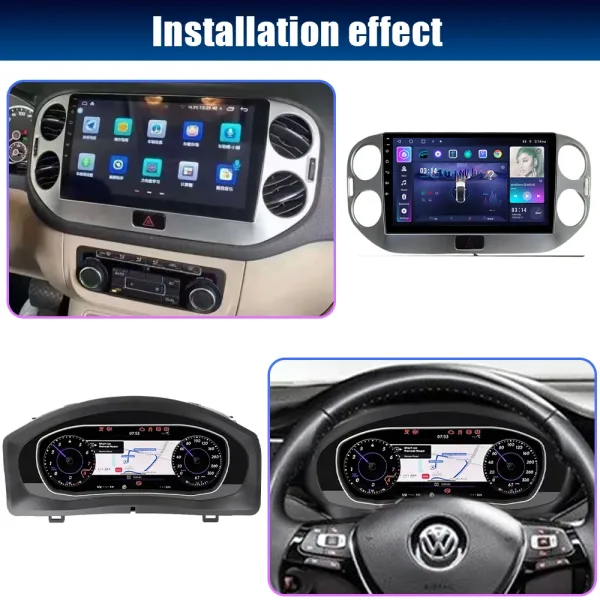
Installed Digital Dashboard View for the Tiguan Driver
The installed display gives the Mk1 Tiguan cockpit a more modern driver view while keeping information directly in front of the steering wheel. For daily commuting and family use, speed, vehicle data, warnings and supported media or navigation information become easier to read than on the older analog cluster.
iKAGOO Standards for This VW Tiguan Digital Cluster
This VW Tiguan Digital Cluster is evaluated by upgrade value, original vehicle compatibility and installation ease. The result is based on the 2009-2017 Volkswagen Tiguan Mk1 / Type 5N fitment direction, the 12.3-inch LCD dashboard route and the need to retain supported original vehicle data.
Strong reason to upgrade when the owner wants a modern cockpit, clearer data and map-focused driver display value.
Near-OEM match after Tiguan Mk1 / Type 5N cluster shape, dashboard route, steering controls and connector details are confirmed.
Advanced DIY level because original cluster handling, mainboard route, harness connection and full function testing are required.
Necessità di aggiornamento di iKAGOO
The first-generation Tiguan still drives well for many owners, but the analog-style cluster makes the cabin feel dated. A 12.3-inch LCD display gives clearer data, multiple UI modes and a stronger modern cockpit effect.
Compatibilità con i veicoli iKAGOO Original
The compatibility result assumes the correct 2009-2017 Tiguan Mk1 / Type 5N route, matching original cluster structure, supported steering-wheel control logic and correct connector preparation.
Livello di facilità di installazione di iKAGOO
Level 3 means an experienced DIY installer or automotive electronics installer is preferred. The original cluster, mainboard route, small connectors, matched harness and warning-data testing must be handled carefully.
What This VW Tiguan Digital Cluster Is
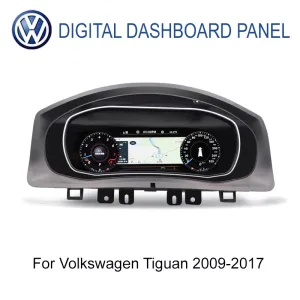
This VW Tiguan Digital Cluster is a 12.3-inch LCD instrument cluster upgrade for selected 2009-2017 Volkswagen Tiguan Mk1 / Type 5N vehicles.
It upgrades the original analog-style gauge area into a digital cockpit with 1920×720 display quality, multiple UI modes, vehicle data, warning information and supported steering-wheel control behavior after correct matching.
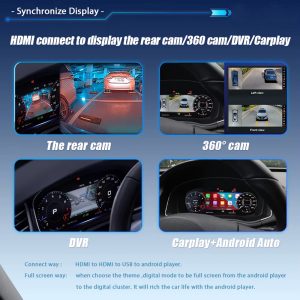
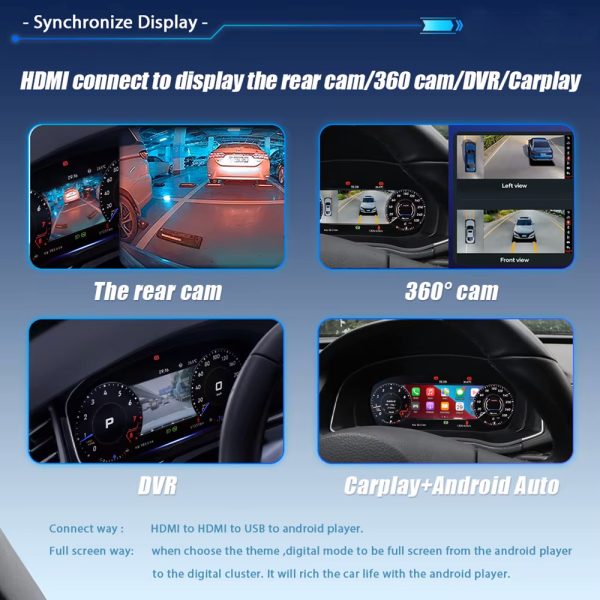
Navigation, CarPlay, Android Auto, DVR or camera-related display content depends on the compatible connected system, selected configuration and correct connection route.
iKAGOO prepares the correct version by checking your Tiguan year, original instrument cluster, dashboard shape, steering position and connector information before shipment.
Confirm the Exact Tiguan Before Ordering
- Primary fitmentVolkswagen Tiguan Mk1 / Tiguan 1 / Type 5N / 5N Facelift, current listing range 2009-2017.
- Do not judge by badge onlyTiguan L, MQB Tiguan, Tiguan Allspace and second-generation models can use different dashboard structures.
- Photos requiredSend the original cluster photo, dashboard photo and connector photo if requested.
- Posizione del volanteConfirm LHD or RHD before shipment preparation.
- Previous modificationTell iKAGOO if the vehicle already has aftermarket wiring, a changed head unit or repaired cluster electronics.
Factory-Shaped 12.3-Inch Cluster for Tiguan Mk1
A cluster upgrade must sit in the dashboard correctly, not only power on. The front shape and housing direction are prepared around the Tiguan Mk1 / Type 5N dashboard route. This lowers the risk of buying a universal display that does not match the original gauge area.
Installed Driving View With a Modern LCD Cockpit
The installed display gives the Tiguan a cleaner driver view while keeping information in the correct line of sight. Speed, vehicle data, map prompts and supported warning information are easier to read during daily driving, long trips and family use.
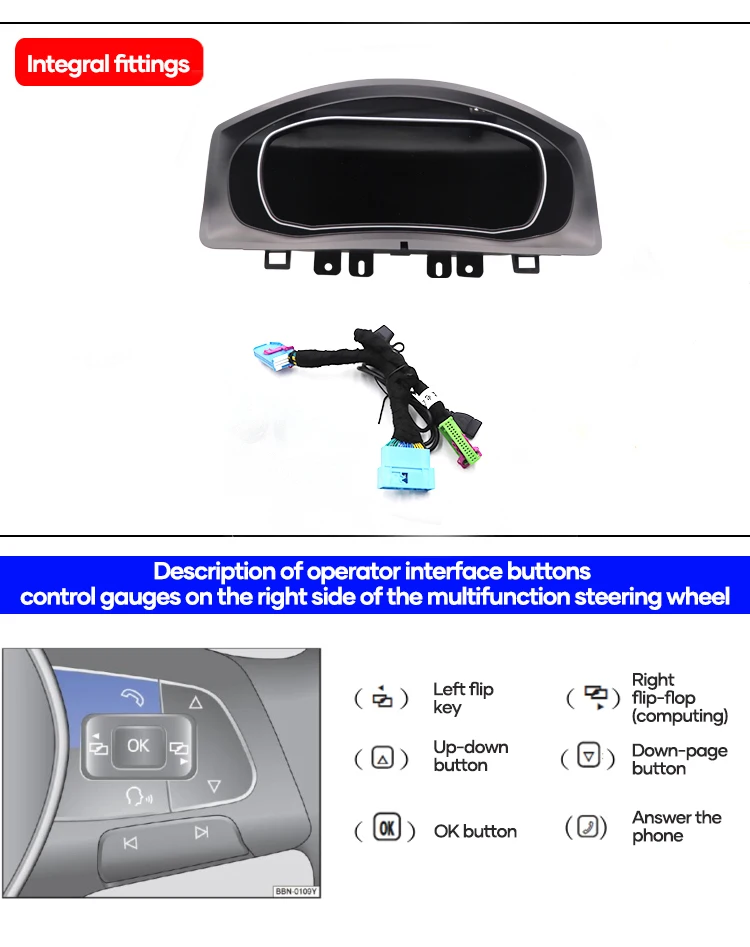
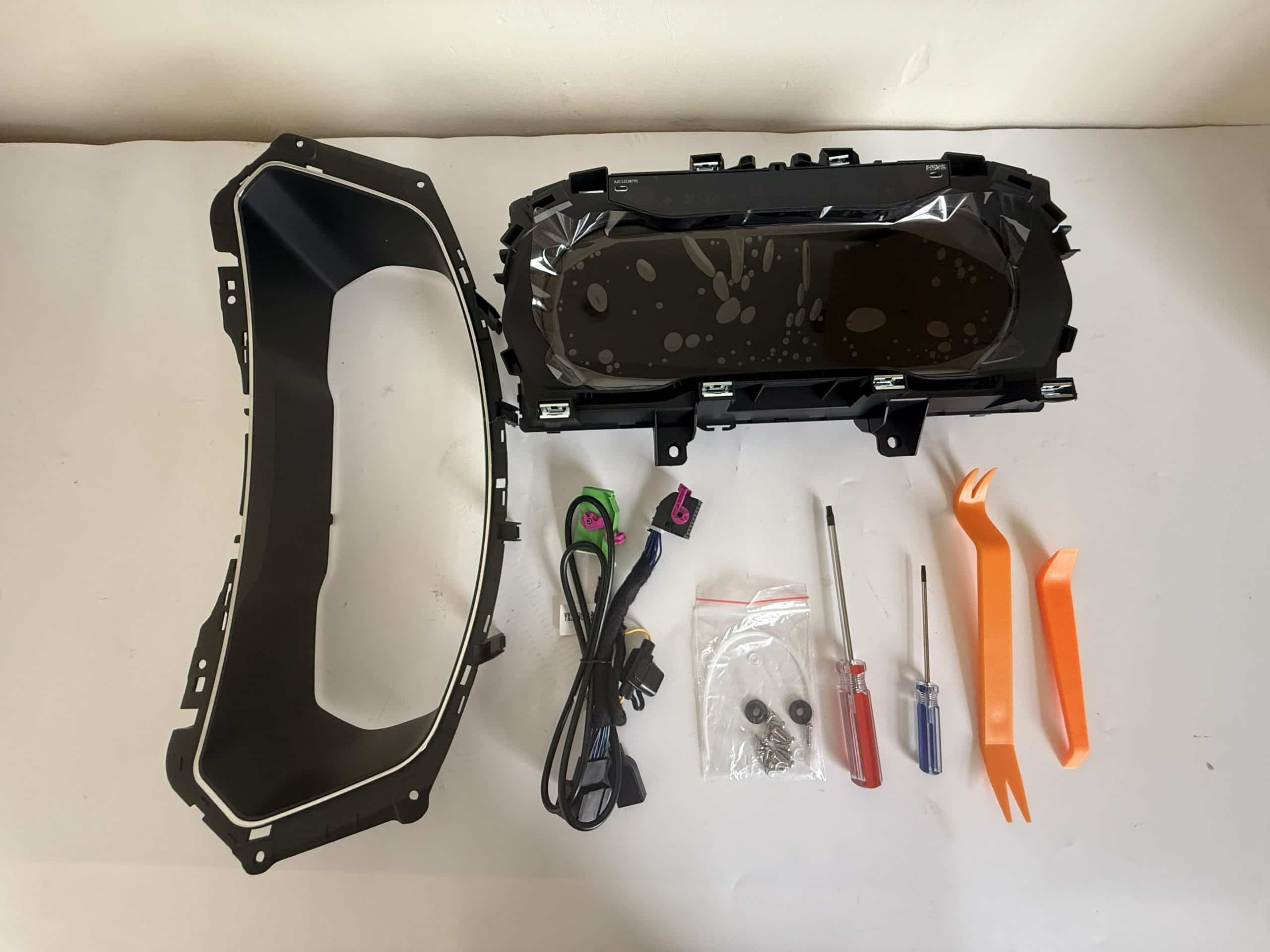
Cluster Body, Harness and Steering-Wheel Button Logic
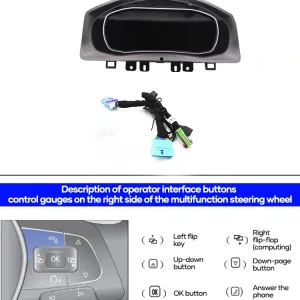
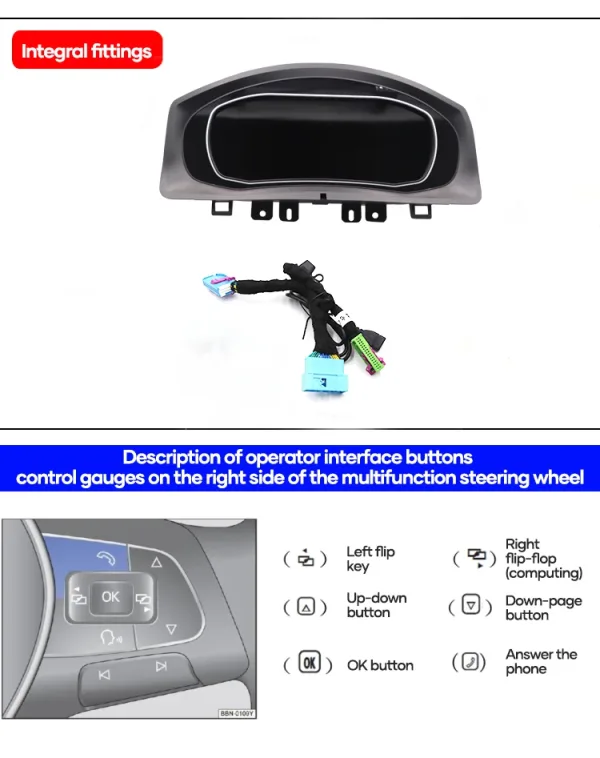
The cluster body and wiring route matter because the dashboard must communicate with the vehicle rather than behave like a separate tablet. Steering-wheel button support helps the driver keep familiar operation after the upgrade, where the vehicle and CANBUS setup support it.
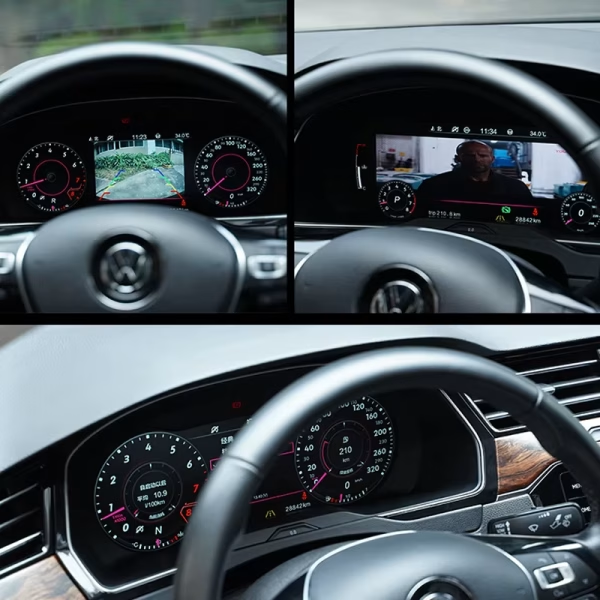
Installed Effect With Dashboard and Screen Ecosystem
This upgrade is strongest when the driver display and center screen work together instead of competing for attention. The cluster keeps key driving information in front of the steering wheel while supported map, media or camera information can be shown through the correct connected system.
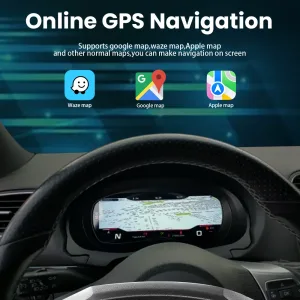
Navigation Closer to the Driver
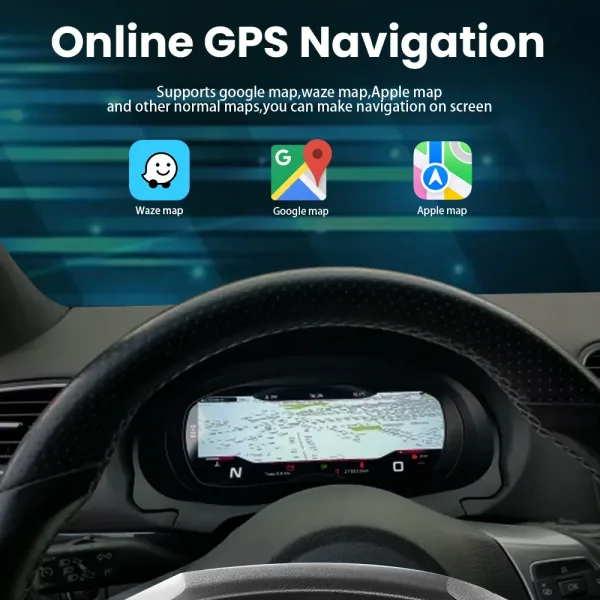
Supported navigation display helps the driver check route information without looking only at the center screen. This is useful in city traffic, night driving and long-distance use where the driver needs quick information.
CarPlay and Android Auto Display Support
When paired with the correct external system and display route, the cluster can show CarPlay or Android Auto related content. The product should still be treated as a digital instrument cluster, not as a full Android head unit by itself.
Clearer Data Than the Old Analog Gauge
The 12.3-inch LCD format gives speed, RPM, fuel, mileage, temperature and warning information more visual space. The cabin feels newer without replacing the entire dashboard.
Funzioni originali del veicolo supportate dopo la corretta abbinamento
This VW Tiguan Digital Cluster is designed to retain supported vehicle information through the original data route after correct installation. Final behavior depends on the exact Tiguan version, original cluster structure, CANBUS communication and connection setup.
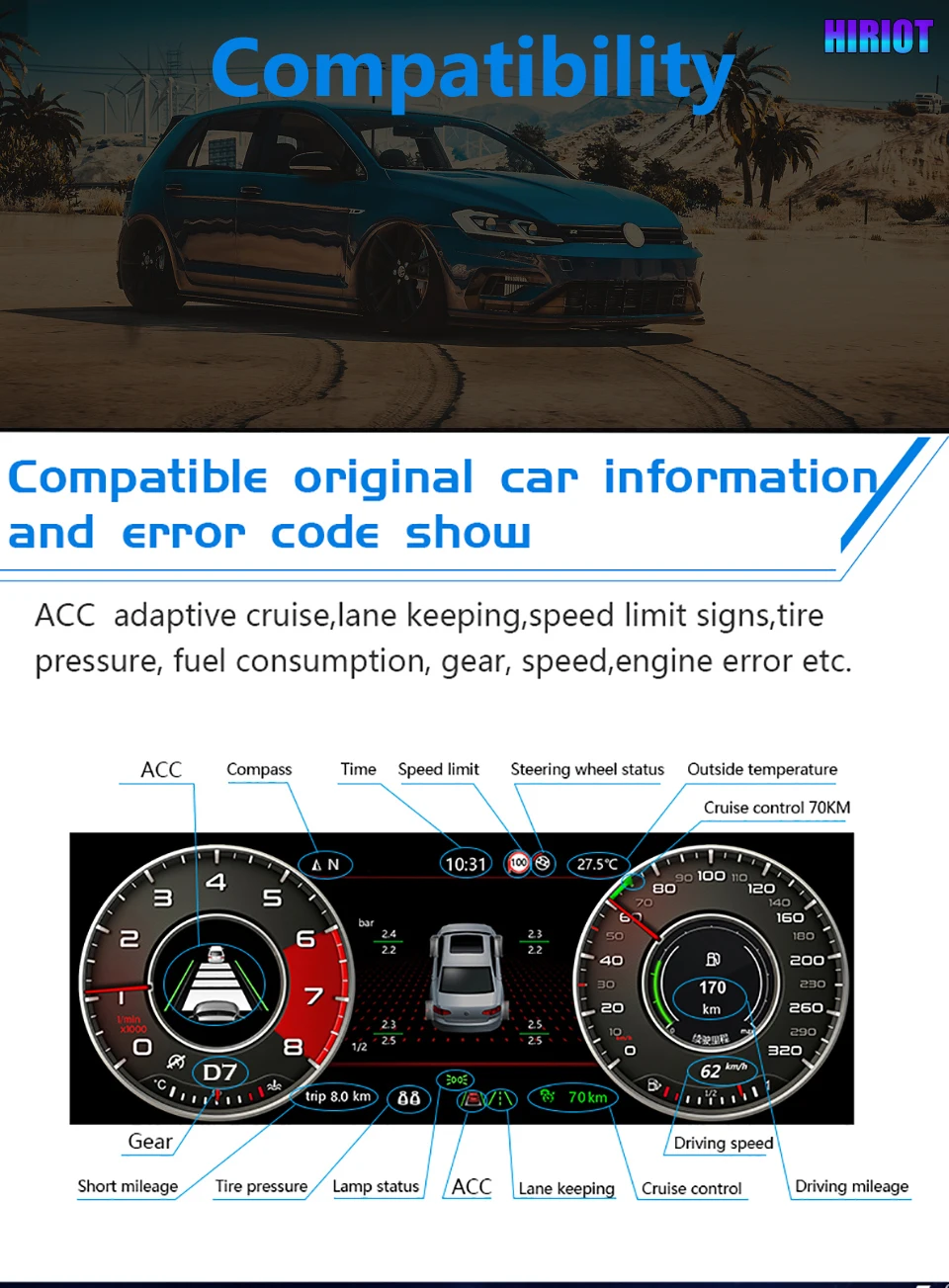
- Driving data retainedSpeed, RPM, fuel, mileage, gear, temperature and supported trip data can remain visible.
- Warning information retainedSupported warning indicators, lamp status, error prompts and vehicle messages continue through the correct data route.
- Steering-wheel controls supportedMultifunction steering-wheel behavior is supported when the vehicle and CANBUS setup match.
- Map and media display supportNavigation, media or projection-related content depends on the compatible connected system.
- Nessun taglio intenzionale del cavoThe supported installation direction uses a matched wiring approach instead of cutting the factory harness.
- Version prepared before shipmentiKAGOO checks dashboard, cluster, steering position and connector photos before packing.
Online GPS Navigation Display Support
Navigation display support gives the driver a more useful cockpit, especially on unfamiliar roads. When the connected system supports the route, map information can appear closer to the driver’s normal line of sight.
Camera, DVR and Phone Projection Display Route
Supported camera, DVR, CarPlay or Android Auto related display content can make the digital cluster more useful than a simple gauge replacement. The final result depends on the correct external system, cable route and configuration.
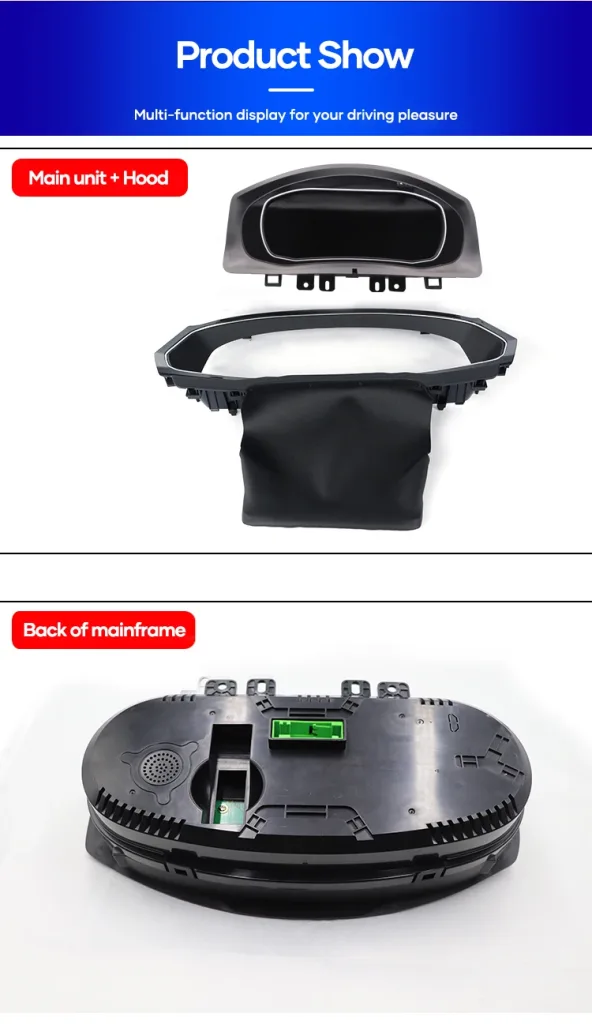
Main Unit, Hood and Rear Connector Structure
The physical housing, hood and rear connector area explain why the exact Tiguan generation must be checked before shipment. A similar vehicle name is not enough; the cluster opening, rear structure and connector route must match the vehicle.
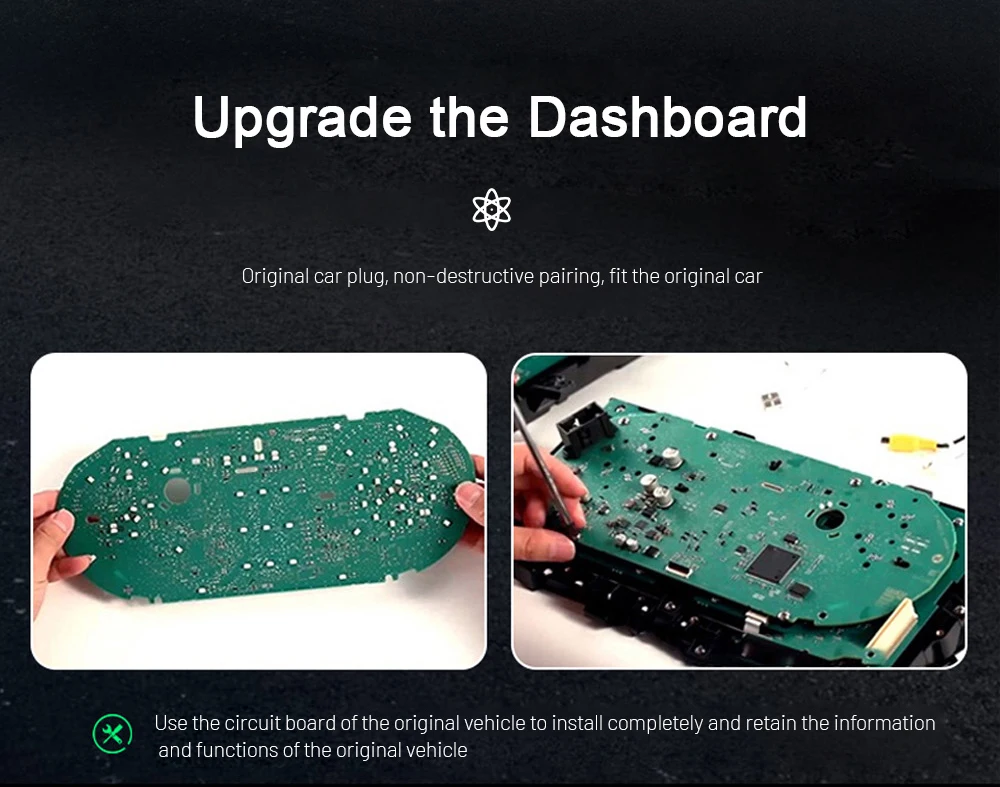
Original Mainboard Route for Vehicle Data
The original mainboard route is important because supported vehicle information should remain connected to the upgraded display. This is also why installation should be done carefully, with small connectors, board position and warning behavior checked before final reassembly.
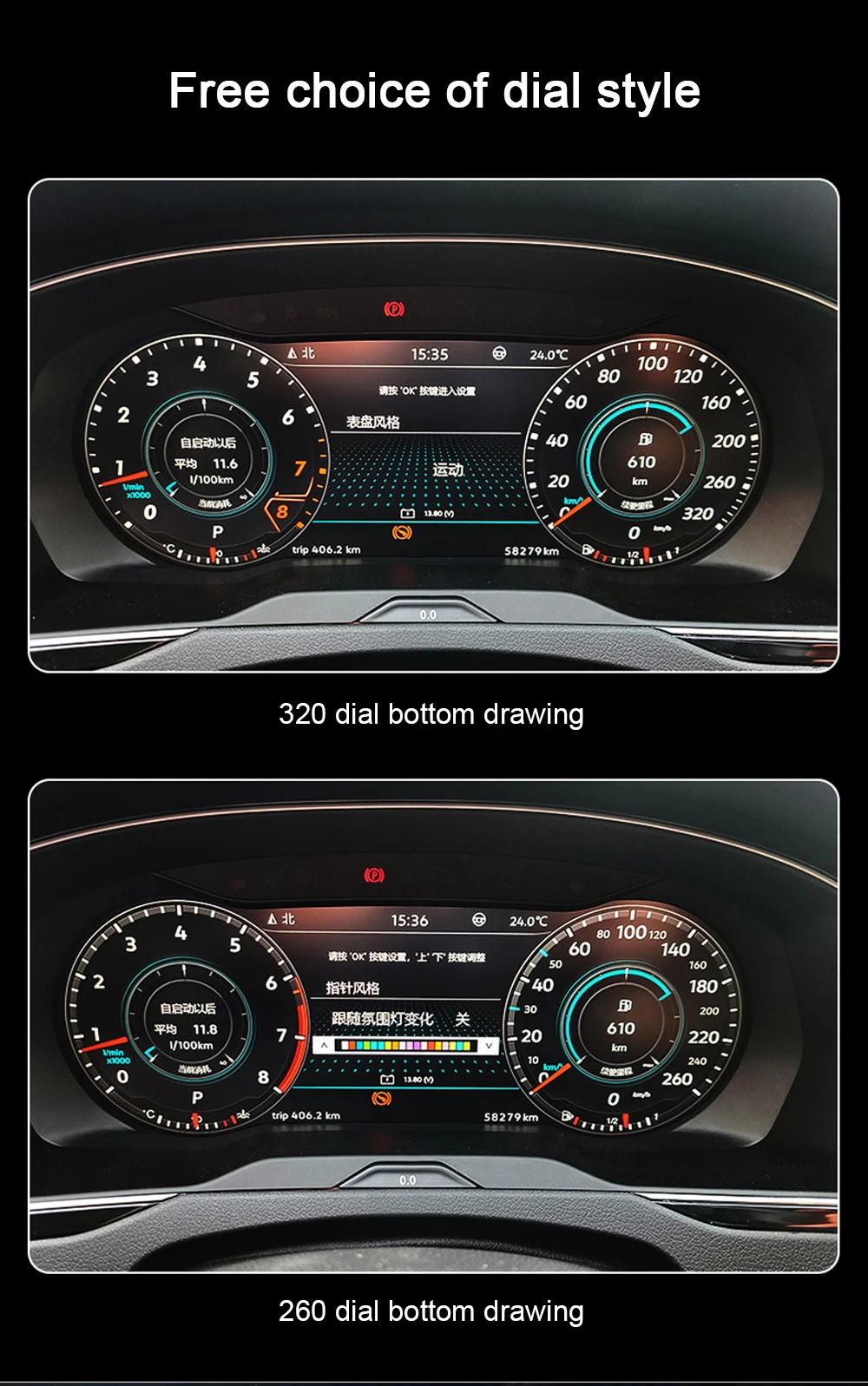
Free Choice of Dial Style
Different dial styles help the upgraded cluster feel closer to either a classic Volkswagen gauge layout or a more modern digital cockpit. This lets the driver choose a display personality without changing the vehicle’s core dashboard structure.
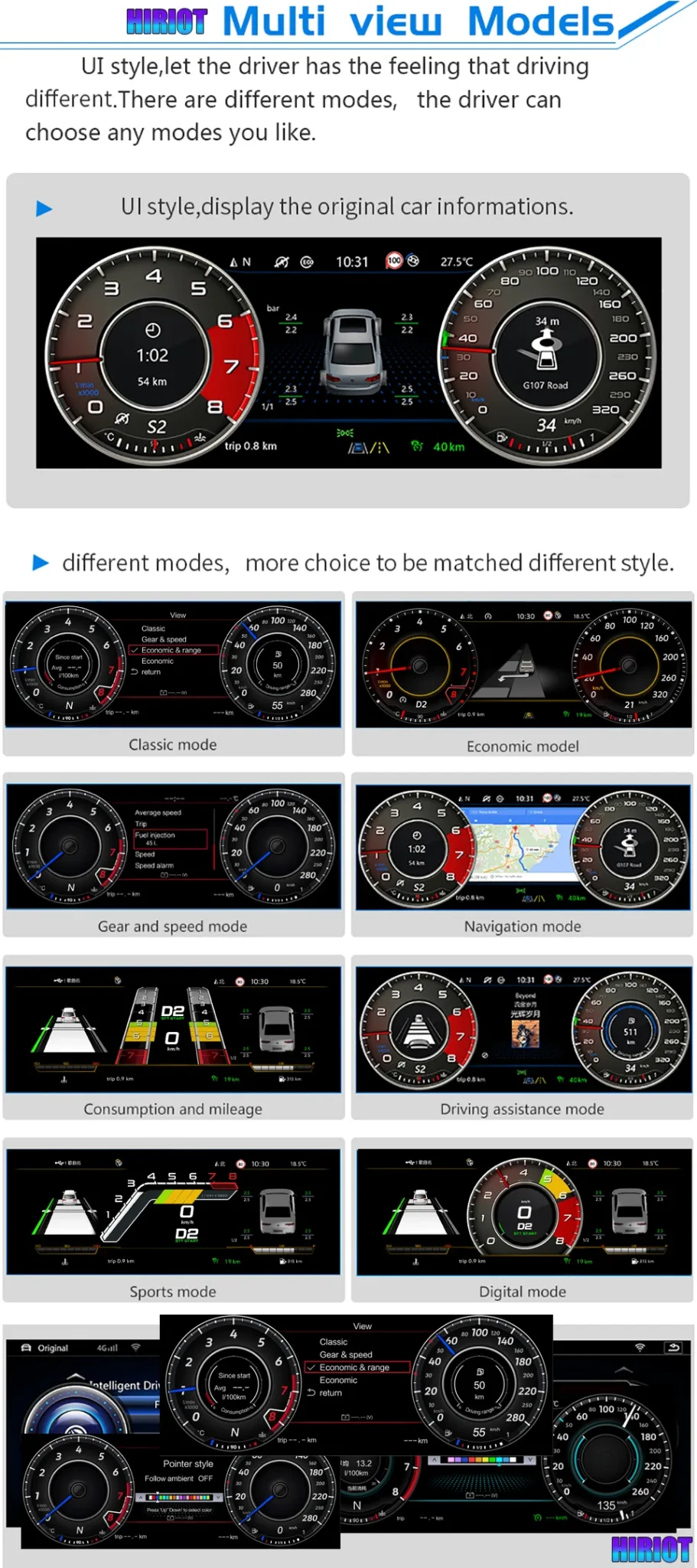
Multiple UI Modes for Different Driving Preferences
Classic, economic, navigation, sport and digital display modes make the cluster useful in different driving situations. The driver can use a calmer layout for normal commuting and a more information-heavy layout for navigation or long-distance travel.
Original Vehicle Information and Warning Data
Supported information such as gear, speed, tire pressure, fuel consumption, temperature, cruise status and warning indicators can remain visible through the upgraded cluster. This is the practical reason to choose a vehicle-specific cluster instead of a decorative screen.
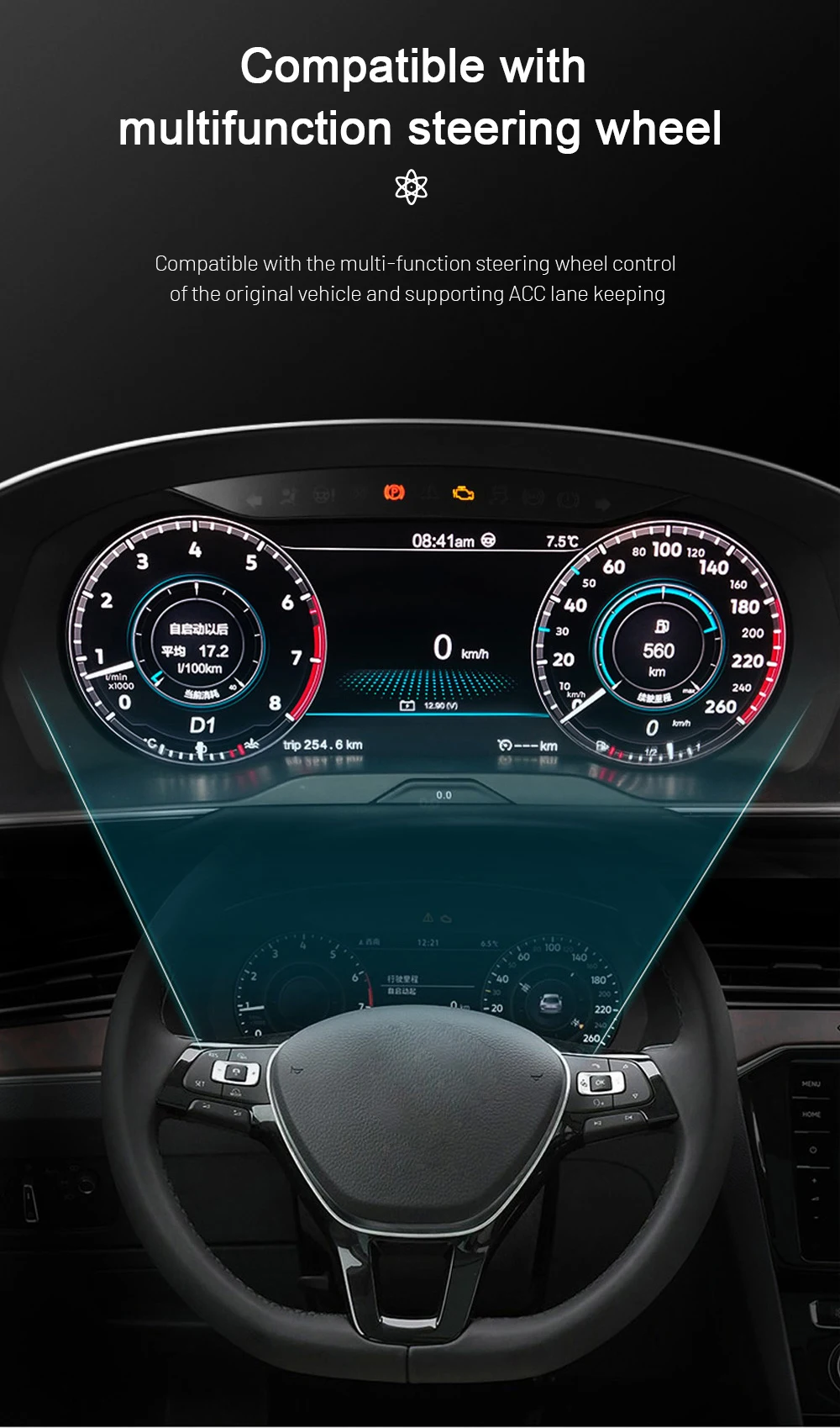
Multifunction Steering-Wheel Control Support
Steering-wheel control support keeps daily operation familiar after the retrofit. When the Tiguan version and CANBUS route match, supported buttons can continue to control cluster-related functions without making the driver rely only on the screen.
Theme Color and Ambient-Style Visual Personalization
Color and theme adjustment help the upgraded dashboard feel personal while keeping the information layout readable. The benefit is visual comfort, not only decoration, especially for night driving or long commutes.
Linux-Based Display Stability for Daily Use
A driver cluster needs stable display behavior more than unnecessary entertainment features. The Linux-style display direction is used for instrument information, fast response and consistent daily dashboard use.
Volkswagen Tiguan Digital Instrument Cluster Specification Summary
- Tipo di prodottoDigital Instrument Cluster / LCD Cluster / Virtual Cockpit Retrofit.
- Compatible modelVolkswagen Tiguan Mk1 / Tiguan 1 / Type 5N, current product listing supports 2009-2017.
- Dimensioni dello schermo12.3-inch IPS LCD.
- Risoluzione1920×720 high-definition display.
- Display modesClassic, sport, navigation, digital and other supported UI layouts.
- Dati del veicoloSpeed, RPM, gear, fuel, mileage, temperature, warning information and supported original vehicle data.
- ControlliSupported multifunction steering-wheel control after correct vehicle matching.
- Phone / head unit interactionCarPlay / Android Auto related sync display and Android head unit interaction where the correct setup is used.
- Potenza12V DC, 3A max, 36W max.
- Codice articoloYB-111.
- Weight and packageProduct weight 3.5 kg; package size 42 × 28 × 42 cm.
Informazioni che iKAGOO verifica prima di preparare il tuo ordine
- Anno del modelloConfirm whether your vehicle belongs to the Tiguan Mk1 / Type 5N range.
- Cluster photoSend a clear photo of the original instrument cluster and dashboard shape.
- Percorso del connettoreConnector and wiring details may be checked to avoid wrong-version shipment.
- Steering controlsConfirm whether your vehicle has multifunction steering-wheel controls.
- Special setupTell iKAGOO about previous aftermarket wiring, changed head unit, cluster repair or unusual warning behavior.
Keep the Original Analog Cluster
This avoids installation work, but the cabin still feels older and the information layout remains limited. It is only a good choice if you do not want a visible cockpit upgrade.
Used OEM Replacement Cluster
A used cluster can solve a repair need, but mileage handling, coding, market differences and unknown history may create extra work. It does not automatically create a modern digital cockpit look.
iKAGOO VW Tiguan Digital Cluster
This route gives you a 12.3-inch LCD, 1920×720 display, original vehicle data route, multiple UI modes, steering-wheel control support and iKAGOO fitment checking before shipment.
Level 3 Installation Scope
Installation usually includes removing the original instrument cluster, handling the original mainboard route, fitting the new LCD cluster assembly, connecting the matched harness, checking steering-wheel control, confirming vehicle data display and testing warning information.
- Programma di installazione consigliatoExperienced DIY users or an automotive electronics installer.
- Before connectionProtect trim pieces and confirm the connector route before powering the cluster.
- Function testCheck speed, RPM, fuel, warning indicators, steering-wheel control and display modes before final reassembly.
- Projection testConfirm CarPlay, Android Auto, camera or DVR display only after the connected system is working correctly.
- Condizione di arrestoStop if the connector shape, original board seating, warning behavior or vehicle data does not match.
- Support materialSend order number, vehicle year, photos and a short video when requesting help.
Cosa succede dopo aver effettuato un ordine?
iKAGOO does not treat a Tiguan digital cluster as a one-click universal accessory. After payment, your order should go through a vehicle-specific confirmation flow before the final version is packed.
- 1. Vehicle reviewiKAGOO checks model year, dashboard layout, steering position, original cluster photo and connector details.
- 2. Version preparationThe correct cluster body, wiring route and guidance direction are prepared according to your supplied information.
- 3. Packing confirmationYou can ask for actual product photos before packing when you want extra confidence.
- 4. Tracked shippingOrders are shipped with tracking after preparation. Updates may take time when the parcel moves between carriers.
- 5. Installation supportIf your installer finds a cable, display or setting issue, provide photos or video before changing wiring.
- 6. Software handlingIf compatible software or firmware action is needed, iKAGOO checks the hardware version before giving instructions.
- 7. Warranty handlingEligible manufacturing defects are handled under the 12-month limited hardware warranty.
- 8. Return boundaryReturn and refund handling depends on product condition, installation status, vehicle information accuracy and the applicable iKAGOO policy.
- 9. Continued supportSupport remains available for setup, diagnosis and compatible upgrade guidance after installation.
iKAGOO Support for Vehicle-Specific Orders
Vehicle-specific electronics need more than a tracking number. iKAGOO supports compatibility review, tracked international shipping, installation communication, eligible hardware warranty handling and policy-based return or refund decisions.
Volkswagen Tiguan Digital Instrument Cluster FAQ
Will this VW Tiguan Digital Cluster fit my 2009-2017 Tiguan?
It depends. The current product listing is for Volkswagen Tiguan Mk1 / Type 5N vehicles around 2009-2017. Send your vehicle year, dashboard photo and original cluster photo so iKAGOO can confirm the correct version before shipment.
Will it work on Tiguan L, Allspace or newer MQB Tiguan models?
No, not by default. Tiguan L, Tiguan Allspace, second-generation MQB Tiguan and newer dashboard versions can use different cluster structures. Confirm the exact dashboard and cluster structure before ordering.
Does this replace the original analog gauge cluster?
Yes. It upgrades the original analog-style cluster area into a 12.3-inch digital LCD display while retaining supported original vehicle information after correct installation and matching.
Does it keep original vehicle data?
Yes, supported original vehicle data can remain visible. This may include speed, RPM, fuel, gear, mileage, temperature, warning information and other supported car data through the correct original-data route.
I comandi al volante continueranno a funzionare?
Yes, where the vehicle version, steering-wheel button type and CANBUS communication are supported. iKAGOO checks your vehicle details before shipment to reduce wrong-version risk.
Does it support CarPlay or Android Auto information?
Yes, CarPlay or Android Auto related display functions are supported when paired with the correct compatible setup. The exact result depends on your Android head unit, connection route and selected configuration.
Devo tagliare il cablaggio di serie?
No. The supported installation direction is designed to avoid intentional factory harness cutting. Do not force unmatched connectors, alter pins blindly or continue if the plug route does not match.
Is this suitable for DIY installation?
It depends. The iKAGOO Installation Ease Level is L3 Advanced DIY. Experienced DIY users may handle it, but an automotive electronics installer is safer because the original mainboard route and final function testing must be handled carefully.
Cosa devo inviare prima della spedizione?
Yes, send your vehicle model year, dashboard photo, original cluster photo, LHD/RHD position and connector photos if requested. These details help iKAGOO prepare the correct digital cluster version.
Posso chiedere di vedere le foto reali del prodotto prima dell'imballaggio?
Yes. You can request actual product photos before packing when you want extra confidence. This is useful for vehicle-specific electronics because you can check the product body and accessory preparation before dispatch.
Cosa succede se il tecnico che effettua l'installazione rileva un problema relativo ai cavi o alle impostazioni?
Contact iKAGOO with photos or a short video before changing wiring. Include your order number, vehicle year, original cluster photos and a clear description of the issue so support can check the next step.
Perché acquistare da iKAGOO invece di un prodotto generico più economico?
Because the main risk is not only display quality; it is wrong vehicle matching. iKAGOO checks the Tiguan generation, cluster shape, dashboard route, connector information and steering position before shipment, then supports installation and after-sales handling under the applicable policies.
Choose This Upgrade If You Want a Real Tiguan Dashboard Change
The VW Tiguan Digital Cluster is the right upgrade when your 2009-2017 Tiguan Mk1 / Type 5N matches the supported dashboard route and you want the driver display to feel newer, clearer and more useful. The best result comes from correct vehicle confirmation, careful Level 3 installation and full function testing before final reassembly.


Romero Pedro -
Ho installato questo cruscotto digitale sulla mia Volkswagen Tiguan e sono molto contento della scelta. Il display da 10,25″ si integra benissimo con il cruscotto originale, migliorando la visibilità delle informazioni. Ora posso vedere velocità, consumo di carburante e altre informazioni in tempo reale con una chiarezza incredibile. È come avere un cruscotto più moderno, senza dover cambiare tutto il sistema dell’auto. L’installazione è stata semplice, non ho avuto problemi.